

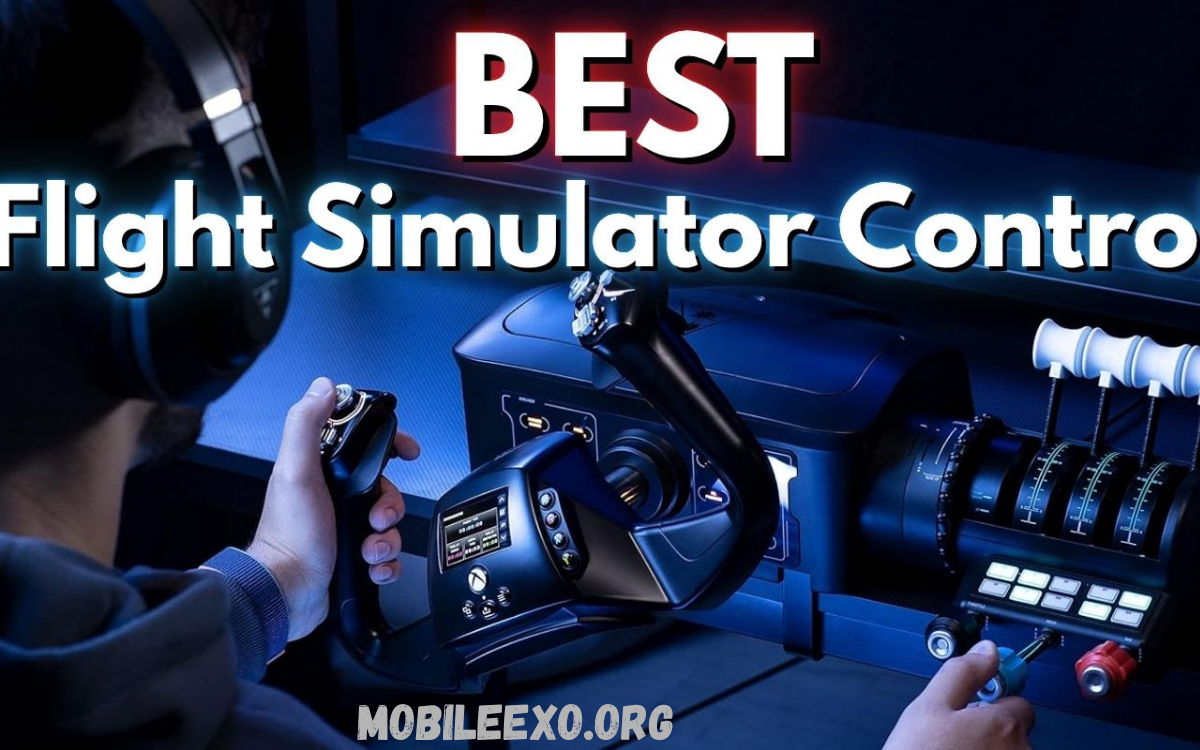
Simulator games offer players the opportunity to experience real-world activities in a virtual environment, making controls one of the most important aspects of gameplay. Whether you’re piloting an aircraft, driving a truck, managing heavy machinery, or racing on realistic tracks, the right control setup can significantly improve immersion, precision, and overall enjoyment.
Choosing the best controls for simulator games depends on the type of simulation and the player’s preferences. While standard keyboards and controllers can handle basic gameplay, dedicated hardware such as steering wheels, flight sticks, throttles, pedals, and control panels provides a more authentic and responsive experience.
Why Controls Matter in Simulator Games
Simulator games are designed around realism. Every action, from steering a vehicle to managing an aircraft’s throttle, depends on precise input. Generic controls may allow basic gameplay, but they often fail to deliver the level of accuracy that simulation enthusiasts expect.
High-quality control devices provide enhanced responsiveness and better tactile feedback. Players can execute detailed maneuvers more naturally, making virtual experiences feel much closer to their real-world counterparts. This increased realism often leads to greater enjoyment and improved performance.
Keyboard and Mouse
A keyboard and mouse remain the most accessible control option for simulator games. Most players already own these devices, making them a cost-effective starting point for beginners. Many popular simulation games are designed with keyboard compatibility in mind, ensuring complete functionality without additional hardware.
Despite their convenience, keyboards and mice have limitations. Digital key presses lack the gradual control needed for realistic steering, braking, or throttle management. While suitable for casual players, they cannot match the precision offered by dedicated simulation peripherals.
Game Controllers
Game controllers provide a balanced solution between affordability and functionality. Modern controllers feature analog sticks and pressure-sensitive triggers that allow smoother movement and more precise control compared to a keyboard.
Many driving, farming, and construction simulators perform exceptionally well with controllers. Players benefit from comfortable ergonomics and intuitive layouts. Although controllers cannot fully replicate professional simulation equipment, they offer an excellent middle-ground option for many gamers.
Steering Wheels for Driving Simulators
Steering wheels represent one of the most popular upgrades for simulation enthusiasts. Racing simulators and trucking games benefit significantly from wheel-based controls. Realistic steering angles create a more authentic driving experience while improving vehicle handling.
Advanced steering wheel systems often include force feedback technology. This feature simulates road conditions, vehicle weight transfer, tire grip, and collisions. As a result, players receive valuable physical feedback that enhances realism and helps improve driving accuracy.
Force Feedback Technology
Force feedback has become an essential feature in premium simulator setups. Instead of simply controlling a vehicle, players can physically feel resistance and vibrations through the steering wheel.
Road texture, bumps, curbs, understeer, oversteer, and vehicle impacts become noticeable through tactile feedback. This added sensory information improves immersion while providing critical performance cues that enhance gameplay precision.
Pedal Systems
A steering wheel setup becomes far more effective when paired with dedicated pedals. Separate accelerator, brake, and clutch pedals allow players to replicate real driving techniques with greater accuracy.
High-end pedal systems offer adjustable resistance, load-cell braking technology, and customizable configurations. These features create a realistic driving environment that closely resembles operating an actual vehicle.
Gear Shifters
Manual transmission enthusiasts often consider gear shifters an essential component of their simulator setup. A dedicated shifter allows realistic gear changes without relying on controller buttons or keyboard inputs.
Driving simulators focused on realism benefit greatly from physical shifting mechanisms. Players gain improved immersion while developing a stronger connection with the virtual vehicle.
Flight Sticks for Aviation Simulators
Flight simulators require an entirely different control philosophy. Precise aircraft movement demands specialized hardware capable of handling complex flight dynamics. Flight sticks, commonly known as joysticks, provide accurate control over pitch, roll, and yaw movements.
Modern flight sticks range from beginner-friendly models to professional-grade systems. Advanced versions include programmable buttons, trigger controls, and customizable resistance levels that enhance the flying experience.
HOTAS Systems
HOTAS stands for Hands On Throttle And Stick. This configuration is widely regarded as one of the best controls for simulator games involving aviation and space exploration.
A HOTAS setup separates flight controls into dedicated throttle and joystick units. Pilots can access critical functions without removing their hands from primary controls. This design mirrors real aircraft cockpits and delivers unmatched immersion.
Rudder Pedals
Serious flight simulation enthusiasts frequently add rudder pedals to their setup. These pedals control aircraft yaw and improve handling during takeoff, landing, and complex maneuvers.
Rudder pedals contribute significantly to realism and precision. Pilots gain better directional control while experiencing flight mechanics that closely resemble real aviation procedures.
Yokes for Commercial Flight Simulation
Commercial aviation simulators often benefit from flight yokes rather than traditional joysticks. A yoke closely resembles controls found in passenger aircraft, making it a preferred choice for airline simulation enthusiasts.
Modern flight yokes provide smooth control inputs and realistic resistance. Combined with throttle quadrants and rudder pedals, they create an immersive cockpit experience suitable for serious virtual pilots.
Farming Simulator Control Setups
Farming simulators involve operating multiple vehicle types and agricultural equipment. Because activities vary significantly, flexible control solutions often produce the best results.
Many players use steering wheels alongside programmable button panels. This combination allows efficient management of tractors, harvesters, trailers, and specialized equipment while maintaining realistic vehicle control.
Read Also: Building a Simulation Game: Complete Guide for Free Fire Players and Aspiring Game Developers
Construction Simulator Controls
Construction simulators require precise equipment operation. Excavators, cranes, bulldozers, and loaders often utilize complex movement systems that benefit from advanced control configurations.
Dual joysticks are particularly effective for construction machinery. Independent movement control enables realistic operation of hydraulic systems and heavy equipment components, improving both efficiency and immersion.
Train Simulator Controls
Train simulators emphasize operational realism rather than fast-paced action. Precise throttle management, braking systems, and signaling procedures form the core gameplay experience.
Dedicated train simulator controllers can recreate locomotive cabins with impressive accuracy. Even standard peripherals benefit from custom button mapping designed specifically for railway operations.
Button Boxes and Control Panels
Button boxes provide additional programmable inputs for simulator enthusiasts. These devices feature physical switches, rotary knobs, and custom buttons that replicate real-world cockpit or vehicle controls.
Complex simulators often include hundreds of functions. Button boxes streamline access to frequently used commands while reducing dependence on keyboard shortcuts.
Virtual Reality and Simulator Controls
Virtual reality has transformed simulator gaming. VR headsets place players directly inside virtual cockpits, vehicles, and machinery, creating unparalleled immersion.
When combined with dedicated control hardware, VR delivers an experience remarkably close to real-world operation. Players naturally look around their environment while interacting with realistic control systems.
Choosing Controls Based on Simulator Type
Different simulation genres require different hardware priorities. Driving enthusiasts benefit most from steering wheels and pedals, while aviation players gain greater advantages from flight sticks, HOTAS systems, and rudder pedals.
Construction, farming, and railway simulators often require hybrid setups that combine multiple control devices. Understanding game-specific requirements helps players invest in hardware that provides maximum value.
Budget-Friendly Simulator Controls
Premium simulation hardware can be expensive, but excellent options exist for players with limited budgets. Entry-level steering wheels, affordable flight sticks, and modern controllers provide strong performance without significant investment.
New players should focus on building their setup gradually. Starting with essential hardware allows experience-based upgrades while avoiding unnecessary purchases.
Premium Simulator Control Systems
High-end simulation setups target enthusiasts seeking maximum realism. Direct-drive wheels, professional HOTAS systems, load-cell pedals, and custom control panels represent the pinnacle of simulation hardware.
Although expensive, premium systems deliver exceptional accuracy, durability, and immersion. Dedicated simulation fans often consider these investments worthwhile due to the dramatic improvement in gameplay quality.
Setup and Ergonomics
Even the best controls for simulator games require proper positioning. Poor ergonomics can reduce comfort and negatively affect performance during extended gaming sessions.
Stable mounting solutions, adjustable seating positions, and correct peripheral placement contribute significantly to usability. A comfortable setup improves both immersion and long-term enjoyment.
Future Trends in Simulator Controls
Simulation technology continues evolving rapidly. Direct-drive systems, haptic feedback devices, motion platforms, and advanced virtual reality integration are becoming increasingly accessible.
Future control systems will likely focus on deeper immersion, enhanced realism, and greater customization. As technology advances, simulator enthusiasts can expect even more authentic virtual experiences.
Frequently Asked Questions
What are the best controls for simulator games?
The best controls for simulator games depend on the type of simulation being played. Steering wheels and pedals are ideal for driving simulators, while flight sticks, HOTAS systems, and yokes are preferred for aviation simulators. Specialized controls provide greater realism and precision than standard peripherals.
Is a keyboard and mouse good for simulator games?
A keyboard and mouse can work well for beginners and casual players. Most simulator games support keyboard controls, but dedicated hardware usually delivers a more immersive and accurate experience.
Are steering wheels worth buying for simulator games?
Yes, steering wheels significantly improve realism in racing, trucking, and driving simulators. Features such as force feedback and realistic steering angles enhance vehicle control and overall immersion.
What is a HOTAS system?
HOTAS stands for Hands-On Throttle And Stick. It consists of a separate joystick and throttle unit designed primarily for flight simulators, offering realistic aircraft control and quick access to important functions.
Do simulator games require expensive equipment?
No, many simulator games can be enjoyed using a keyboard, mouse, or standard controller. Premium equipment improves realism and performance but is not required to enjoy the gameplay.
Which control setup is best for flight simulators?
A flight stick combined with a throttle control provides an excellent experience for most flight simulators. Advanced users often add rudder pedals and control panels for greater realism.
Conclusion
Selecting the best controls for simulator games depends on personal preferences, budget, and preferred simulation genre. Keyboard and mouse setups remain practical for beginners, while controllers offer greater precision and comfort.
For players seeking the most authentic experience possible, investing in specialized simulator controls is often the single most impactful upgrade. The right control setup not only improves performance but also transforms virtual simulations into deeply engaging experiences that closely mirror real-world operations.
