

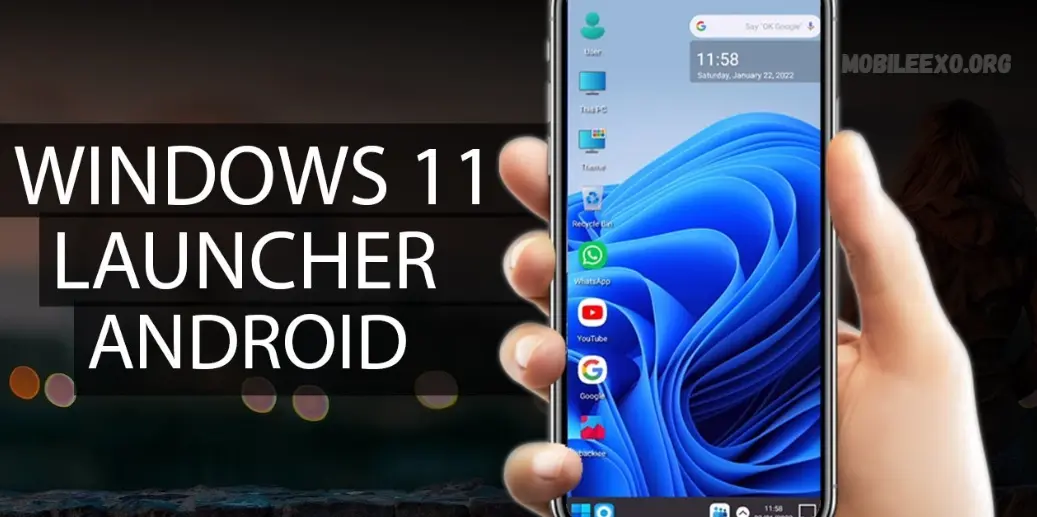
In the ever-evolving landscape of Android customization, launchers play a key role in transforming user experiences. HyperDroid-PC Launcher rises above the crowd, seamlessly turning Android devices into full-fledged Windows 11-style desktop environments, blending familiarity with powerful functionality.
A Desktop Experience on Mobile
HyperDroid delivers a complete desktop experience right on your Android device, bringing the power of a PC to your pocket. It bridges mobile convenience with desktop productivity by replicating the look and feel of a traditional computer. From the taskbar to the start menu and file explorer, every essential element is mirrored, offering a familiar interface for users transitioning from PC to mobile.
🔥 HyperDroid-PC Launcher
Top Pick for 2025
HyperDroid-PC Launcher sits at the top for a reason. It transforms your Android device into a Windows 11-like desktop with zero lag and full functionality. This launcher doesn’t just copy the appearance; it brings the entire desktop experience with features like a taskbar, start menu, and a real file explorer.
Key Features:
- Clean Windows 11 interface with fluid animations
- Full taskbar and start menu experience
- Multi-window support and desktop folders
- Built-in file manager with drag-and-drop
- Lightweight on RAM and battery
If you’re serious about turning your phone into a mini desktop, this one delivers it all.
🧠 Computer Launcher 2
Best for Simplicity and Speed
Computer Launcher 2 gives you that familiar Windows interface while keeping everything light and responsive. It’s ideal for users who want the basics of Windows 11 without extra clutter.
Highlights:
- Simple start menu with organized apps
- PC-style recycle bin and folders
- File explorer with right-click options
- Icon customization and wallpapers
- Smooth on older devices
Great for anyone who prefers function over flash.
Read more: Bb5 – Türkiye Develops App To Identify Israeli Products
🚀 Win-X Launcher
Best for Performance and Minimal Design
Win-X Launcher focuses on delivering the Windows 11 look while keeping things fast and clean. No bloat, no distractions, just a sleek desktop feel in your pocket.
Why it Stands Out:
- Minimalist Windows-style UI
- Adaptive dark and light themes
- Custom file explorer with multitasking
- Real-time performance widgets
- Multiple layout options for app drawer
Perfect for users who like speed with style.
🛠 Launcher 2025 – Windows Style UI
Newcomer Worth Watching
Launcher 2025 puts a fresh twist on the traditional Windows layout. With futuristic icons, modern layouts, and responsive controls, it’s gaining fans quickly.
Cool Features:
- Taskbar with live widgets and shortcuts
- Lock screen inspired by Windows PC
- Smart notification panel
- Gesture support for quick access
- Dynamic themes and icon packs
A bold take on the Windows concept with a modern flair.
🧩 Win 11 Theme Launcher by BlueThemes
Best for Theme Lovers
If customization is your thing, this launcher hits the mark. Win 11 Theme Launcher focuses heavily on visual style, offering a ton of themes, wallpapers, and tweaks.
Features Include:
- Huge selection of Windows-inspired themes
- App locker and privacy settings
- Smart folders and one-tap optimization
- Windows-like control center
- Frequent updates with new styles
More than just a launcher, it’s a playground for theme addicts.
Frequently Asked Questions
What is a Windows 11 launcher for Android?
A Windows 11 launcher is an Android app that transforms your phone’s home screen and interface to look like a Windows 11 desktop. It mimics features like the taskbar, start menu, file explorer, and icons for a full desktop-like experience.
Is HyperDroid-PC Launcher safe to use?
Yes, HyperDroid-PC Launcher is safe if downloaded from trusted sources like the Google Play Store. Always avoid APKs from shady sites to protect your device from malware or privacy risks.
Do Windows 11 launchers slow down Android phones?
Most modern launchers, including HyperDroid and Win-X, are optimized for performance. However, on low-end or older devices, some heavier launchers may cause slight lag. Choosing a lightweight option helps maintain smooth performance.
Can I use a Windows 11 launcher without rooting my phone?
Yes, all launchers listed in this article work without root access. Simply install the launcher, set it as default, and customize your layout as desired.
Do these launchers support file management like Windows?
Yes, launchers like HyperDroid and Computer Launcher 2 include built-in file explorers that simulate Windows-style navigation, drag-and-drop support, and folder access.
Will these launchers affect my phone’s battery life?
Lightweight launchers are designed to minimize battery usage. However, running animations, widgets, or live wallpapers can increase battery drain. Use power-saving settings when needed.
Can I uninstall a launcher if I don’t like it?
Absolutely. You can go to your Android settings, switch back to your original launcher, and uninstall the Windows-style launcher anytime without affecting your data.
Do these launchers support external devices like mouse or keyboard?
Some advanced launchers like HyperDroid support keyboard and mouse inputs, especially when connected via OTG or Bluetooth. This enhances the desktop-like experience even more.
Conclusion
Windows 11 launchers have changed the game for Android users in 2025. They’re not just visual upgrades — they bring desktop-level functionality, sleek design, and real productivity tools straight to your phone or tablet. Whether you’re looking for the full PC vibe with HyperDroid-PC Launcher or a lighter, cleaner layout with Win-X Launcher, there’s a perfect fit for every style and setup.
These launchers let you ditch the generic Android look and create a personal, functional workspace that mirrors the Windows experience. For multitaskers, power users, and anyone tired of the same old UI, switching to a Windows-style launcher adds both polish and performance to your device.
Explore the options, test them out, and find the one that turns your Android into the desktop you never thought it could be.