

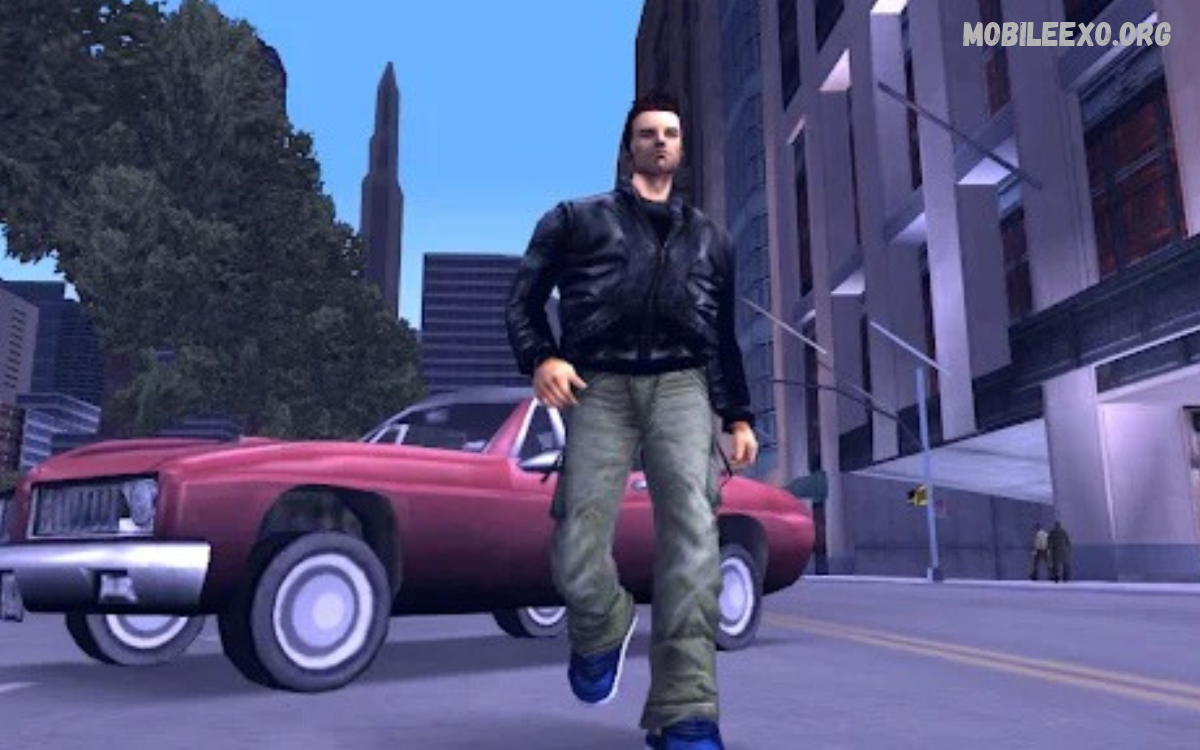
GTA III mobile brings the classic open-world experience of Grand Theft Auto III to compatible mobile devices. The game introduces players to Liberty City, a fictional urban environment filled with missions, memorable characters, vehicles, and hidden locations.
For action-adventure fans, GTA III mobile offers a portable way to experience a landmark title. Its mix of exploration, storytelling, driving, and mission-based gameplay helped shape many later open-world games.
What Is GTA III Mobile?
GTA III mobile is the smartphone adaptation of Grand Theft Auto III, originally released in 2001. Rockstar Games later introduced a mobile edition with updated visuals, touchscreen controls, and features designed for compatible phones and tablets.
Unlike linear games, GTA III Mobile lets players explore a large city while completing missions at their own pace. Its combination of an open environment, story progression, vehicle exploration, and side activities makes it an important title in gaming history.
Liberty City: The Main Game World
Liberty City serves as the central location in GTA III mobile. The fictional city features busy streets, residential areas, commercial districts, industrial zones, and distinct neighborhoods that create a varied environment for exploration.
Each area contributes to the game’s atmosphere through its buildings, traffic, pedestrians, and background sounds. Players can travel the city, discover unfamiliar streets, and become familiar with different locations as they progress through the main storyline.
GTA III Mobile Storyline
The story follows Claude, a silent protagonist whose journey begins after a criminal betrayal. As the narrative develops, he becomes involved with different characters and organizations across Liberty City, creating opportunities for new missions and story developments.
The storyline uses cinematic scenes, character conversations, and mission objectives to connect individual events. This approach gives players a reason to explore the city while gradually discovering the relationships and conflicts that shape the game’s fictional world.
Main Gameplay Features
GTA III mobile combines exploration, driving, character movement, mission completion, and environmental interaction. Players can switch between activities rather than follow a single continuous path, making the experience suit different play styles.
The mobile edition also includes updated character and vehicle models, improved resolution, customizable touchscreen controls, and selected gamepad support. These features help adapt the original game for portable devices while retaining its recognizable gameplay.
Missions and Story Progression
Missions form the foundation of GTA III mobile. Each mission introduces an objective, such as reaching a location, completing a task, following a target, or meeting a character, and completing it advances the storyline.
Mission difficulty varies by objective, available time, and surroundings. Reading instructions carefully, understanding the map, and becoming familiar with movement controls can help players approach challenges more confidently without rushing through every task.
Vehicles and City Exploration
Vehicles are an important part of GTA III mobile because Liberty City contains numerous roads and destinations. Players can explore different neighborhoods, travel between mission locations, and experience the city from different perspectives as they move through its streets.
Driving also makes the environment feel connected rather than divided into separate levels. Learning road layouts, recognizing landmarks, and choosing suitable routes can make exploration easier and help players reach objectives with fewer unnecessary detours.
Graphics and Visual Presentation
The mobile edition received visual improvements compared with the original release. Rockstar’s published information highlights updated textures, character models, vehicle models, and higher-resolution presentation intended to improve the experience on supported devices.
Although GTA III mobile is an older game, its visual design remains recognizable through its city architecture, vehicle variety, and distinctive atmosphere. Players shouldn’t expect the same detail or realism as modern open-world releases, but the presentation preserves the original game’s identity.
Touchscreen Controls and Navigation
Touchscreen controls let players move their character, control vehicles, adjust the camera, and interact with the game using on-screen buttons. The mobile edition also lets players customize controls, helping them adjust the interface to their preferences.
New players may need time to become comfortable with the layout, especially when switching between walking and driving. Adjusting button placement where supported, practicing basic movement, and exploring quieter areas can help make the controls feel more familiar.
Soundtrack and Audio Experience
Audio contributes significantly to the atmosphere of GTA III mobile. The game combines background music, environmental sounds, vehicle noise, and character dialogue to create a more engaging experience throughout Liberty City.
Radio stations add variety during drives, while the game’s voice acting helps convey key story developments. Together, these elements give the fictional city a distinct personality and tie routine travel to the broader experience.
Side Activities and Free Exploration
GTA III mobile offers opportunities to explore beyond the central storyline. Players can explore different parts of Liberty City, take in the surroundings, experiment with available vehicles, and learn the layout of the game world.
Free exploration gives players a break from mission objectives and creates a more flexible experience. Instead of completing every task immediately, players can alternate between story progression and exploring familiar or new areas of the city.
Mobile Performance and Compatibility
Performance depends on the device, operating system, available memory, and compatibility with the game’s current version. A phone that runs newer applications smoothly may still require a compatibility check before running an older mobile game.
Rockstar’s support documentation lists Android updates and bug fixes, including an Android version update dated March 9, 2026. Players should review the current official store listing and support information for device requirements before installing the game.
Installation and Storage Considerations
Before installing GTA III Mobile, check the available storage space and compatibility information in the official app store. The game’s published listing recommends at least 1 GB of free storage, although additional space may be needed for system files and other applications.
Use legitimate distribution channels and review the listed requirements before proceeding. Avoid unofficial packages claiming unlimited features or modified versions, since their contents, reliability, and security may not be verified by the original developer.
Saving Progress in GTA III Mobile
Saving progress is important because GTA III mobile contains multiple missions and a continuing storyline. Players should learn how the game’s save system works early so they can preserve completed objectives and return to their progress in a later session.
The original mobile edition introduced autosave features alongside mission replay options. However, save behavior can depend on the version and platform, so players should check the current game’s settings and avoid assuming that every action is automatically saved.
Read Also: GTA Liberty City Stories Mobile: Gameplay, Features, and Complete Guide
Controller Support for Mobile Devices
Some players prefer physical controllers instead of touchscreen buttons. GTA III mobile supports selected compatible game controllers, giving players another way to manage character movement, driving, and other gameplay actions on supported devices.
Compatibility depends on the controller, phone, operating system, and game version. Before buying additional hardware, review the manufacturer’s compatibility information and Rockstar’s controller support guidance to confirm the intended setup is supported.
Tips for New GTA III Mobile Players
New players should begin by learning the map, understanding mission instructions, and practicing basic movement. Familiarity with the interface makes it easier to navigate the city and follow objectives without repeatedly stopping to work out which control performs a particular action.
It also helps to progress through the storyline gradually instead of attempting every activity at once. Keep track of mission locations, pay attention to character dialogue, and use available save options to preserve progress between gaming sessions.
Advantages of GTA III Mobile
One major advantage of GTA III mobile is portability. Players can enjoy a classic open-world game on a compatible smartphone or tablet without the original console, making the mobile adaptation convenient for fans who prefer portable gaming.
Another advantage is the combination of story missions and free exploration. Updated visuals, customizable controls, memorable music, and controller support add flexibility while preserving the qualities that made the original release influential.
Limitations of GTA III Mobile
GTA III mobile also has limitations compared with newer games. Its city design, mission structure, character animations, and visual effects reflect the technology and design choices of an earlier gaming era, which may feel dated to players accustomed to modern releases.
Touchscreen controls may also require practice, and compatibility and performance can vary by device. The game’s mature content is another important consideration: official listings classify it for mature audiences, so players should review the age rating and content information before deciding whether it is appropriate.
Is GTA III Mobile Worth Playing?
GTA III mobile may appeal to players interested in classic open-world games, historical gaming experiences, and story-driven exploration. Its combination of city navigation, character interactions, mission progression, and freedom to explore provides a distinctive experience that remains recognizable decades after the original release.
However, enjoyment depends on personal preferences and device compatibility. Players who prefer modern graphics, advanced controls, and contemporary mission design may find the experience dated, while fans of classic games may appreciate its straightforward structure and memorable setting.
GTA III Mobile Compared With Modern Mobile Games
Modern mobile games often feature more detailed graphics, extensive online systems, frequent content updates, and interfaces designed around current smartphones. GTA III mobile follows a different approach, focusing primarily on a self-contained story and an established open-world environment.
This difference helps explain how mobile gaming has evolved. Rather than relying on constant new content, GTA III mobile emphasizes exploration, mission completion, and its original narrative, letting players experience an influential chapter in gaming history.
Frequently Asked Questions
What Is GTA III Mobile?
GTA III Mobile is the mobile adaptation of Grand Theft Auto III, an open-world action-adventure game set in Liberty City. It brings the original game’s core story and exploration to compatible smartphones and tablets, with mobile-friendly controls and visual enhancements.
Is GTA III Mobile Available for Android?
Rockstar Games publishes an Android edition of GTA III. Availability, device compatibility, and purchase requirements can vary, so check the current official Google Play listing and Rockstar support information before installing it.
Does GTA III Mobile Support Controllers?
Yes, selected compatible controllers are supported. However, support depends on the device and controller combination, so consult the official controller compatibility information before choosing a setup.
Can Players Explore Liberty City Freely?
Yes. GTA III Mobile lets players explore Liberty City beyond the immediate requirements of story missions. Players can travel through different neighborhoods, learn the road layout, and explore the environment as they progress through the game.
Does GTA III Mobile Have Customizable Controls?
Yes. The mobile edition includes touchscreen controls with customization options. Players can adjust supported interface settings to make movement and navigation more comfortable for their preferred playing style.
Is GTA III Mobile Suitable for every age group?
No. Official store listings classify the game for mature audiences because of its themes and content. Parents and players should review the applicable age rating and content descriptors before playing.
Conclusion
GTA III mobile preserves the central appeal of a classic open-world game through Liberty City’s atmosphere, mission-based storytelling, vehicle exploration, and flexible gameplay.
For players interested in gaming history, GTA III mobile offers an opportunity to experience an influential title in a portable format. Checking compatibility, understanding the controls, and reviewing the mature-content rating can help readers decide whether this classic game suits their preferences.

1 Comment
Pingback: GTA Vice City Mobile: Features, Gameplay, Story, and Mobile Experience - Mobileexo