

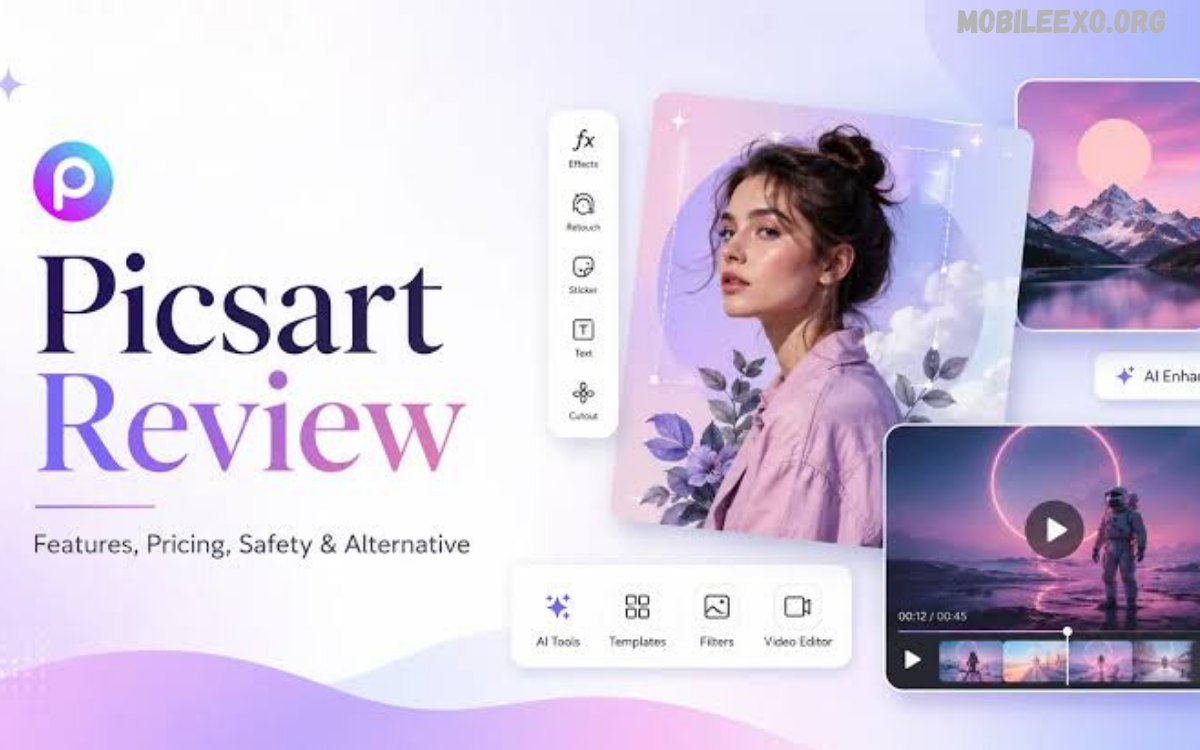
PicsArt remains one of the most recognized mobile photo and video editing platforms, offering a broad collection of creative tools for users who want to transform ordinary images into engaging visual content. The platform combines traditional editing controls with filters, effects, templates, drawing tools, stickers, collage options, and AI-powered creative features.
This PicsArt Review explores the platform from a practical perspective, covering its major features, editing capabilities, usability, performance, creative resources, pricing, advantages, limitations, and overall value. Its extensive toolkit makes PicsArt suitable for beginners, social media creators, students, casual photographers, and users seeking advanced creative controls.
What Is PicsArt?
PicsArt is a creative editing platform designed for photo editing, video editing, graphic design, collage creation, digital drawing, and visual content creation. Its mobile-focused interface provides numerous tools within a single application, reducing the need to switch between multiple editing apps.
The platform combines straightforward editing features with more advanced creative functions. Users can make quick adjustments to photographs or spend additional time creating detailed compositions using layers, masks, brushes, effects, text, stickers, and other design elements.
PicsArt Review: Overall Experience
The overall PicsArt experience is centered around creativity and accessibility. Instead of focusing exclusively on professional photography adjustments, the platform provides a large creative environment where users can experiment with different visual styles and content formats.
The interface can feel feature-rich because of the number of available tools. Beginners may require some time to understand the editing workspace, while experienced users can benefit from having multiple creative controls available from one application.
Photo Editing Features
PicsArt includes essential photo editing tools expected from a modern image editor. Users can crop, rotate, resize, adjust brightness, modify contrast, control saturation, apply sharpness, and make other basic corrections.
These tools are useful for improving photographs before applying creative effects. Users who prefer quick editing can make simple adjustments, while creators can combine several tools to produce more customized results.
Filters and Effects
Filters represent one of PicsArt’s most recognizable creative features. The platform provides different visual styles that can quickly change the appearance and mood of an image.
Effects allow users to move beyond basic color adjustments. Depending on the available tools and account features, creators can experiment with artistic, cinematic, vintage, distortion, blur, and other visual treatments.
AI-Powered Editing Tools
Artificial intelligence has become an important part of modern creative applications, and PicsArt incorporates AI-based tools into its editing ecosystem. These features are designed to simplify tasks that traditionally required more manual editing.
AI-assisted features can help creators generate or modify visual elements, improve creative workflows, and experiment with new concepts. Their usefulness depends on the specific feature, input image, and desired result.
Background Removal
Background removal is a valuable feature for social media graphics, product images, profile pictures, thumbnails, and promotional designs. Instead of manually selecting every part of an image, automated tools can help separate the main subject from its background.
This functionality can significantly reduce editing time. After removing a background, users can place the subject over a different image, color, pattern, or custom design.
Background Replacement
After removing an existing background, creators can replace it with another visual environment. This feature provides additional flexibility for creating social media posts, promotional graphics, digital artwork, and personalized images.
Background replacement can also support creative experimentation. Users can combine different subjects and environments to develop compositions that would be difficult to produce through basic photography alone.
Collage Maker
PicsArt provides collage functionality for users who want to combine multiple photographs into one composition. Different layouts can help arrange images into structured designs suitable for personal albums and social media posts.
Collage tools are particularly useful when several photographs need to be presented together. Users can customize layouts and add additional creative elements to make the final design more distinctive.
Stickers and Creative Elements
Stickers provide a simple way to add personality to images. PicsArt has historically offered a large collection of decorative and expressive elements covering numerous themes and creative styles.
Creators can combine stickers with photographs, text, backgrounds, and effects. This makes the platform useful for casual designs as well as more elaborate social media graphics.
Text and Typography
Text tools allow users to add titles, captions, quotes, announcements, promotional messages, and other written elements to images. Typography can significantly influence how a graphic communicates its message.
PicsArt provides customization options that can help users adjust the appearance and placement of text. Combining typography with images and design elements can create content suitable for posts, thumbnails, banners, and announcements.
Drawing Tools
PicsArt is not limited to conventional photo editing. Drawing features allow users to create artwork directly within the editing environment.
Brushes, colors, shapes, and other drawing controls can be combined with photographs or blank canvases. This makes the platform useful for users interested in digital illustration and artistic experimentation.
Video Editing
PicsArt also extends beyond static images by providing video editing functionality. Users can work with video clips, add creative effects, incorporate text, and make other adjustments depending on the tools available in their version.
Having photo and video editing capabilities within one platform can be convenient for social media creators. Instead of maintaining separate workflows for different content formats, users can manage multiple creative projects through the same ecosystem.
Templates
Templates can make the design process faster, especially for users who do not want to create every element from scratch. Ready-made layouts provide starting points for social posts, advertisements, invitations, announcements, and other visual content.
Templates are particularly helpful for beginners because they provide a structured foundation. More experienced creators can also use them as inspiration before customizing the design.
Social Media Content Creation
Social media has increased demand for fast and visually appealing content. PicsArt addresses this demand through editing tools designed for creating images, graphics, collages, and other digital assets.
Creators can use the platform to prepare content for different social platforms. Resizing, typography, effects, stickers, and templates can help adapt a basic photograph into a more engaging social media graphic.
User Interface
The PicsArt interface provides access to numerous creative functions through an organized editing workspace. The large number of features means that users may initially encounter a learning curve.
Once familiar with the main menus, the workflow becomes easier to navigate. Beginners can start with simple adjustments and gradually explore advanced tools as their editing skills improve.
Ease of Use
Ease of use is one of PicsArt’s strongest qualities. Basic editing tasks generally do not require extensive technical knowledge, allowing new users to begin creating content quickly.
Advanced features naturally require more experimentation. Users who want precise results may need to spend additional time learning how different effects, layers, selections, and adjustments interact.
Performance
Performance can vary according to device hardware, operating system version, project complexity, image resolution, and available storage. Simple editing tasks typically require fewer resources than projects involving multiple effects and creative elements.
Users working with large images or complex projects should ensure that their device has sufficient storage and memory. Keeping the application updated can also help provide access to newer improvements and compatibility enhancements.
PicsArt for Beginners
Beginners can benefit from PicsArt because the platform supports both quick edits and gradual skill development. A new user can start with filters, cropping, brightness adjustments, and templates before moving toward more advanced creative techniques.
The large selection of tools may initially seem overwhelming. Learning one feature at a time provides a more comfortable approach and helps users understand the platform without unnecessary complexity.
PicsArt for Social Media Creators
Social media creators often need to produce content quickly while maintaining a consistent visual style. PicsArt provides a wide range of tools that can support this workflow, including templates, text, filters, effects, background editing, and creative assets.
The platform can be useful for creators working on posts, thumbnails, promotional graphics, announcements, and other visual formats. Its combination of editing and design functionality makes it versatile for regular content production.
PicsArt for Advanced Users
Experienced editors can explore more detailed controls and creative combinations. Instead of relying solely on automatic effects, advanced users can build compositions using multiple editing techniques.
The platform may not replace every specialized desktop editing application for highly technical professional workflows. However, its broad feature set makes it a capable option for creators who prefer mobile-first editing.
Free Features
PicsArt provides a selection of editing and creative tools that users can access without necessarily purchasing a premium subscription. Free functionality allows users to explore the platform and determine whether its workflow suits their needs.
The exact availability of individual features can change over time. Users should review the current in-app options before choosing a particular editing workflow.
Premium Features
Premium access expands the available creative ecosystem by providing additional tools, content, resources, and advanced functionality. Users who frequently edit photographs or create digital content may find premium features more useful than occasional users.
The value of a subscription depends largely on personal requirements. Someone who only performs occasional cropping or color adjustments may not need premium access, while regular creators may benefit from a broader toolkit.
Read Also: Canva Review: Features, Benefits, Pricing & User Experience in 2026
PicsArt Pricing and Value
Pricing can vary depending on region, subscription type, promotional offers, and the platform used to purchase access. Because subscription structures can change, users should check the current pricing information displayed through the official application or website before subscribing.
Value ultimately depends on usage. Frequent creators who regularly need advanced editing resources may receive greater value than users who only require basic photo adjustments.
Privacy and Account Considerations
As with any online creative platform, users should review available privacy settings and account policies before uploading personal or sensitive material. Understanding how content is stored, processed, and shared can help users make informed decisions.
Users should also avoid uploading confidential documents or private images unless they understand the platform’s relevant policies. Maintaining strong account security is another important part of responsible app usage.
Advantages of PicsArt
One major advantage is the variety of creative tools available within one platform. Users can edit photographs, create collages, design graphics, add text, experiment with effects, and explore additional creative functions without constantly switching applications.
Another advantage is accessibility. The platform accommodates different experience levels, making it possible for beginners to produce attractive designs while giving experienced creators additional tools for experimentation.
Limitations of PicsArt
The extensive feature selection can sometimes make the application feel crowded for users who only want a simple editor. Beginners may need time to understand where different tools are located and how they work.
Another consideration is that some advanced resources may require premium access. Users who prefer completely free editing solutions may find limitations depending on the tools they want to use.
PicsArt vs Basic Photo Editors
Basic photo editors generally focus on essential adjustments such as cropping, brightness, contrast, saturation, and filters. PicsArt goes considerably further by combining traditional editing with design, drawing, collage, video, and creative features.
This makes PicsArt more suitable for users who want an all-in-one creative platform. Someone who only needs quick image corrections may prefer a simpler application with fewer features.
PicsArt vs Professional Desktop Software
Professional desktop editing applications often provide highly detailed controls designed for advanced photography, graphic design, and production workflows. PicsArt takes a different approach by prioritizing accessibility, mobile convenience, and creative experimentation.
For professional studio workflows, desktop software can offer greater precision and broader production capabilities. For everyday mobile creation, PicsArt provides a convenient alternative with a strong collection of creative tools.
Tips for Getting Better Results
Start with a high-quality source image whenever possible. Good lighting, clear subjects, and appropriate composition provide a stronger foundation for editing.
Avoid applying too many effects at once. Combining excessive filters, stickers, adjustments, and overlays can make an image appear cluttered, while controlled editing usually produces a cleaner result.
Use Templates for Faster Designs
Templates can reduce the time required to create social media graphics and promotional content. Instead of building every element manually, users can select a suitable structure and customize it according to their requirements.
Personalizing fonts, images, colors, text placement, and other elements can help prevent the final design from looking generic. Templates work best as starting points rather than fixed designs.
Explore AI Features Carefully
AI tools can accelerate creative tasks and provide ideas for experimentation. However, users should review AI-generated or AI-assisted results before publishing them.
Checking details, proportions, text, backgrounds, and overall composition helps ensure that the final image meets the intended quality standard. Human editing remains valuable even when automated tools are involved.
Is PicsArt Worth Using?
PicsArt is worth considering for users who want a versatile mobile creative platform rather than a basic photo editor. Its combination of photo editing, design tools, effects, templates, drawing capabilities, video functions, and AI-assisted features creates a broad creative environment.
The platform is especially useful for social media creators, casual photographers, students, digital artists, and users who regularly create visual content. Users seeking highly specialized professional editing may still require dedicated software for certain workflows.
Frequently Asked Questions
Is PicsArt good for photo editing?
Yes. PicsArt provides basic adjustment tools alongside filters, effects, background editing, creative elements, text, collage features, and other tools suitable for different editing requirements.
Is PicsArt suitable for beginners?
Yes. Beginners can start with simple tools such as cropping, filters, brightness adjustments, templates, and stickers before gradually exploring more advanced features.
Does PicsArt support video editing?
PicsArt includes video editing capabilities alongside its photo and graphic design features. Available functionality can vary depending on the application version and account type.
Does PicsArt have AI tools?
PicsArt incorporates AI-assisted creative features designed to simplify certain editing and content-generation workflows. Specific features can change as the platform develops.
Can PicsArt remove photo backgrounds?
Yes. Background-removal functionality is available for suitable editing workflows, allowing users to isolate subjects and create new compositions.
Is PicsArt free?
PicsArt offers free functionality, while additional features and resources may be available through premium options. Current availability can vary by region and platform.
Is PicsArt good for social media?
Yes. Its templates, text tools, effects, background editing, collage features, and creative resources make it suitable for producing social media content.
Can PicsArt create collages?
Yes. PicsArt provides collage tools that allow users to combine multiple images into a single visual composition.
Is PicsArt better than a basic photo editor?
For users who need creative variety, PicsArt can be more versatile than a basic editor. Users seeking only simple adjustments may prefer a less feature-heavy application.
Is PicsArt worth it in 2026?
PicsArt remains a strong option for users seeking a versatile mobile editing and creative platform. The best choice depends on the features, workflow, and subscription requirements of each user.
Conclusion
This PicsArt Review shows why the platform continues to attract users looking for flexible mobile editing capabilities. Its broad selection of creative tools provides opportunities for simple photo improvements as well as more sophisticated visual projects.
PicsArt’s biggest strength is versatility. Rather than concentrating on a single editing function, it combines photography, graphic design, creative effects, drawing, collage creation, video editing, templates, and AI-assisted features into one ecosystem.
