

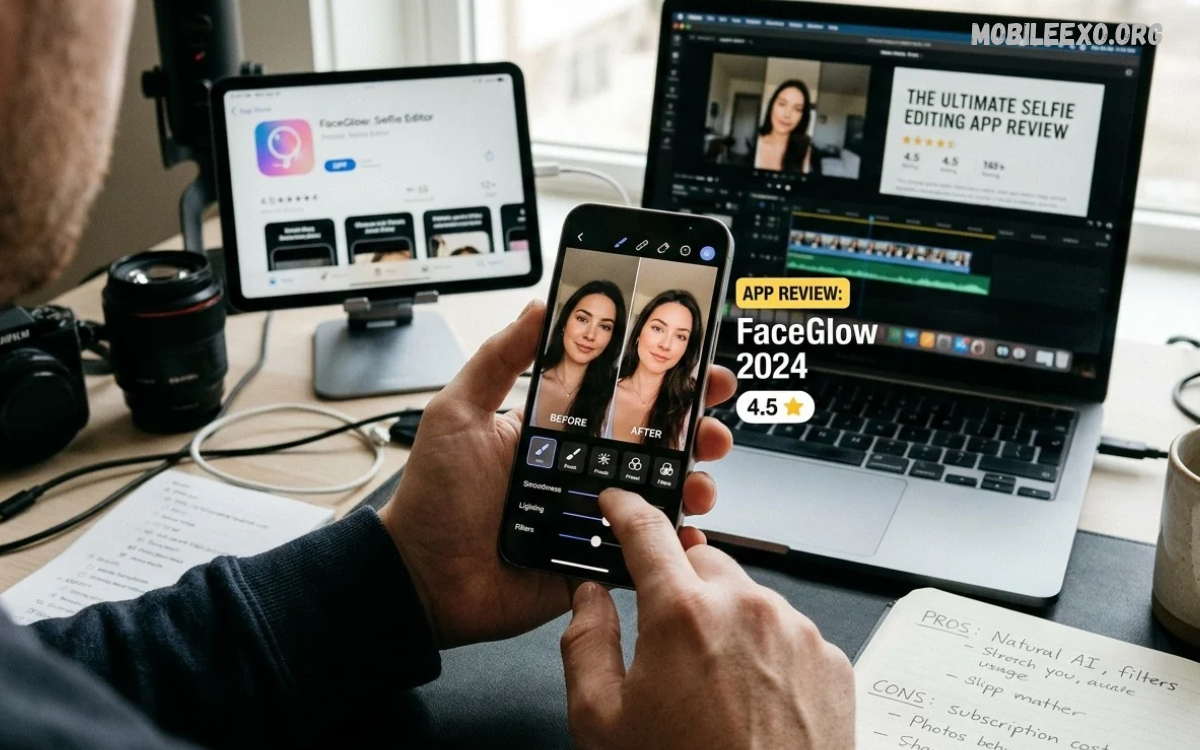
Selfie editing apps make photo enhancement simple, creative, and accessible. Modern applications offer filters, lighting adjustments, background effects, portrait tools, and AI-powered editing features. A good selfie editor helps users improve photo quality while keeping natural details.
This Selfie Editing App Review explores essential editing features, popular applications, usability, creative tools, privacy considerations, and performance.
What Is a Selfie Editing App?
A selfie editing app is a mobile application designed to improve portrait photographs using digital editing tools. These applications provide features such as brightness adjustment, color correction, filters, cropping, background editing, and portrait enhancement.
Most selfie editors offer simple interfaces that make photo editing accessible to beginners. Advanced applications also include AI-powered features, detailed color controls, artistic effects, and professional editing options. These tools provide creative flexibility without requiring complicated desktop software.
Why Are Selfie Editing Apps Popular?
Selfie editing applications have become popular because smartphone photography is part of everyday digital communication. People capture portraits for personal collections, social media posts, messaging platforms, and creative projects.
Another reason behind their popularity is convenience. Users can capture, edit, save, and share photos in one mobile app. Many editors provide ready-made filters and automatic enhancement options, making everyday photo editing faster and easier.
Best Selfie Editing Apps for Android and iPhone
Several mobile applications provide useful selfie editing features for Android and iPhone users. Popular options include Snapseed, Facetune, YouCam Makeup, AirBrush, and Picsart. Each app offers a different mix of portrait editing, creative effects, filters, and image-enhancement tools.
The right application depends on your editing preferences, available features, device compatibility, and price. Some applications focus on natural photo adjustments, while others provide creative effects and AI-powered editing. Comparing their capabilities helps users identify suitable editing software.
Snapseed: Advanced Photo Editing Features
Snapseed is a versatile photo editing app that offers detailed adjustment tools for smartphone photography. Its interface provides access to brightness, contrast, saturation, white balance, sharpening, and selective editing.
One useful Snapseed feature is selective editing, which lets you adjust specific areas of an image. The application also includes curves, healing, perspective correction, and portrait-related tools. These features make Snapseed a strong choice for users who want more control over photo enhancement.
Facetune: Portrait Editing and Enhancement
Facetune focuses on portrait photography and provides tools for editing selfies. Its features include lighting adjustments, background effects, color correction, and selected portrait enhancements. The app is designed for users who want convenient controls to improve their personal photos.
Facetune also offers creative editing options that help users experiment with different visual styles. Some advanced features require a subscription, so check available plans before choosing the app. Natural adjustments generally produce more balanced results than excessive editing.
YouCam Makeup: Beauty and Makeup Effects
YouCam Makeup combines selfie editing with virtual makeup features. Users can experiment with different makeup styles, colors, and portrait effects through digital tools. Its interface provides accessible editing options for people interested in creative portrait photography.
The application also includes beauty filters, makeup customization, and camera effects. These features make it suitable for experimenting with different looks without applying physical makeup. Users should review individual settings and subscription options before selecting advanced tools.
AirBrush: Simple Selfie Editing Experience
AirBrush offers an accessible editing experience with tools for portrait enhancement, lighting adjustments, color effects, and background editing. Its straightforward interface makes basic editing easier for beginners. Users can explore different settings and create photographs with their preferred appearance.
AirBrush also provides filters and creative effects for everyday photography. Certain tools may use automatic enhancement technology, while other options allow manual adjustments. Users should explore the free version before deciding whether additional paid features are necessary.
Picsart: Creative Selfie Editing Tools
Picsart is a creative editing platform offering filters, stickers, text, backgrounds, overlays, and AI-powered features. Its tools allow users to combine several editing elements within one project. This flexibility makes the application useful for selfies, social media graphics, and creative photography.
The application also provides collage creation, background replacement, and artistic effects. Beginners can experiment with ready-made templates, while experienced users can explore layered editing options. Some advanced features require a paid subscription.
Important Features to Look for in a Selfie Editing App
A quality selfie editing application should provide essential tools without making the editing process unnecessarily complicated. Features such as brightness, contrast, color correction, cropping, and portrait adjustments are useful for everyday photography. A simple interface also improves the overall experience.
Advanced users may prefer applications with selective editing, background removal, curves, and AI-powered enhancement. Export quality, supported image formats, and watermark settings are also important considerations. Selecting an application with balanced features can make photo editing more convenient.
AI-Powered Selfie Editing Technology
Artificial intelligence has introduced new possibilities for smartphone photo editing. AI-powered applications can recognize image elements, suggest adjustments, improve lighting, and support background editing. These features reduce manual work and help users explore creative editing options.
Some applications also provide automatic object selection and portrait enhancement. However, AI results may vary depending on image quality, lighting conditions, and application capabilities. Reviewing the final photograph before saving helps maintain accuracy and visual consistency.
Beauty Filters and Portrait Effects
Beauty filters provide preset adjustments for color, lighting, and portrait appearance. Users can apply different effects to experiment with photography styles. Some applications also offer customizable filter intensity, allowing greater control over the final image.
Portrait effects can add creative depth and visual interest to selfies. Background blur, soft lighting, and color overlays are common examples. Choosing effects carefully helps photographs maintain their original character while introducing a distinctive editing style.
Background Removal and Replacement
Background editing is a useful feature in modern selfie applications. Background removal tools separate the main subject from surrounding image elements. Users can replace existing backgrounds with solid colors, creative scenes, or other visual designs.
AI technology has made background editing more accessible on smartphones. However, complex backgrounds and overlapping objects can sometimes affect selection accuracy. Checking edges and reviewing the complete image helps produce cleaner editing results.
Lighting and Color Adjustment Tools
Lighting plays an important role in portrait photography. Selfie editing applications provide exposure, brightness, highlights, shadows, and contrast controls. These settings help users improve photographs captured under different lighting conditions.
Color adjustment tools provide additional creative control over photographs. Saturation, temperature, tint, and white balance can change the overall appearance of an image. Small adjustments often produce balanced results without making colors look unnatural.
Filters and Creative Editing Effects
Filters allow users to change the visual atmosphere of selfies with minimal effort. Common options include warm tones, cool colors, vintage effects, black-and-white styles, and cinematic presets. These effects can help create consistent visual themes across photographs.
Creative effects include overlays, textures, light leaks, and artistic color treatments. Some applications also provide customizable presets for different photography styles. Exploring different effects helps users discover editing approaches that match their creative preferences.
Photo Retouching and Detail Enhancement
Photo retouching tools provide options for adjusting specific image details. Common features include sharpening, noise reduction, healing, and selective brightness adjustments. These controls help users improve image clarity and correct minor photographic distractions.
Detail enhancement should be applied carefully because excessive processing can reduce natural image quality. Maintaining original textures and balanced colors generally creates more realistic photographs. A good editor should provide enough control to adjust details without unnecessarily changing the entire image.
AI Background Blur and Portrait Mode
Background blur creates separation between the main subject and surrounding elements. Some selfie editing applications use AI technology to identify the subject and apply a blur effect to the background. This feature can create a portrait-style appearance using ordinary smartphone photographs.
The quality of background blur depends on subject recognition and image complexity. Applications may produce different results when hair, clothing, or objects overlap with the background. Reviewing the edited photograph helps identify unwanted blur around important details.
User Interface and Editing Experience
An effective user interface makes photo editing easier to understand. Clearly labeled tools, organized categories, accessible settings, and responsive controls help users navigate an application. Beginners benefit from simple layouts, while advanced users appreciate additional customization options.
Editing performance also affects the overall experience. Applications should respond smoothly when applying filters, adjusting colors, or previewing effects. Frequent crashes, excessive advertisements, and complicated navigation can make an otherwise useful application less convenient.
Selfie Editing Apps for Beginners
Beginners should consider applications that offer simple controls and useful automatic editing features. Basic tools such as cropping, brightness, contrast, and filters provide a suitable starting point. Learning these features helps users understand common photo editing techniques.
Ready-made presets can also simplify the editing process. Users can apply a filter, adjust its intensity, and compare different results before saving. Starting with simple adjustments lets users build editing skills gradually.
Advanced Editing Tools for Photography Enthusiasts
Photography enthusiasts may prefer applications with more detailed editing controls. Features such as curves, selective adjustments, color grading, perspective correction, and detailed sharpening offer additional creative flexibility. These tools help users customize photographs beyond standard filters.
Advanced editing also benefits from non-destructive workflows where supported. These workflows let users revisit adjustments without permanently changing the original photograph. Comparing before-and-after previews can help maintain consistency throughout the editing process.
Free vs Paid Selfie Editing Apps
Free selfie editing applications provide access to basic photo enhancement tools. Many offer filters, cropping, color adjustments, and selected portrait features without requiring payment. These options suit casual users who don’t need advanced editing capabilities.
Paid subscriptions may unlock additional filters, premium effects, AI tools, and advanced editing features. However, a subscription does not automatically guarantee better results. Users should compare available tools, limitations, and pricing before purchasing a premium plan.
Watermarks and Export Quality
Watermarks are an important consideration when selecting a selfie editing application. Some free versions automatically add application branding to exported photographs. Other applications allow watermark-free exports through free settings or premium subscriptions.
Export quality also affects the final result. High-resolution saving helps preserve image details, while compression can reduce clarity. Users should review resolution settings and available file formats before exporting important photographs.
Read Also: Photo Filter App Review: Best Apps for Stunning Photo Effects and Editing
Privacy and Security Considerations
Photo editing applications may request access to camera, storage, and photo libraries. These permissions enable essential editing features. Users should review permission requests and allow access only when it supports the intended functionality.
Cloud-based editing and AI features may involve uploading photographs to external services. Privacy policies explain how applications handle uploaded content and personal information. Reviewing these policies and checking available privacy settings can help users make informed decisions.
Performance and Device Compatibility
Application performance depends on device hardware, operating system compatibility, and editing requirements. Basic filters generally require fewer resources than advanced AI processing. Users should check application requirements before installing editing software.
Storage space is another important consideration. High-resolution photographs, editing projects, and cached files can occupy significant device storage. Regularly reviewing saved projects and unnecessary files helps maintain available space.
How to Edit a Selfie Using a Mobile App
Editing a selfie becomes easier when users follow a simple workflow. Start by selecting a clear photograph and reviewing its lighting, composition, and colors. Basic adjustments such as cropping, brightness, contrast, and white balance can improve the overall image.
Next, explore filters and optional portrait effects. Adjust the intensity of each effect and compare the result with the original photograph. Once satisfied, select an appropriate export resolution and save the edited image.
Common Selfie Editing Mistakes
One common editing mistake is applying too many filters simultaneously. Excessive effects can create inconsistent colors and reduce image clarity. Using a smaller number of carefully selected adjustments generally produces a cleaner result.
Another mistake involves ignoring image resolution and export settings. Saving photographs with excessive compression may reduce important details. Reviewing the final image before exporting helps users avoid unnecessary quality loss.
Benefits of Using Selfie Editing Applications
Selfie editing applications provide convenient access to creative photography tools. Users can adjust lighting, explore filters, create collages, and experiment with backgrounds directly from smartphones. These features make everyday photo editing more accessible.
Another benefit is creative flexibility. Different apps offer different editing styles, allowing users to explore their photography preferences. Mobile editing also reduces dependence on desktop software for common portrait adjustments.
Limitations of Selfie Editing Apps
Although selfie editors provide useful features, they also have limitations. Some apps restrict advanced tools to premium subscriptions, while others show ads in free versions. Certain AI features may also require an internet connection.
Editing performance can vary by device and photo. Low-resolution images may not respond well to extensive enhancement, and automatic effects can sometimes produce inconsistent results. Understanding these limitations helps users select appropriate tools.
How to Choose the Right Selfie Editing App
The right selfie editor depends on personal editing requirements and preferred features. Users interested in basic adjustments may prefer a simple application, while photography enthusiasts may benefit from advanced color controls and selective editing. Interface design should also match individual experience levels.
Before installing an application, review its features, compatibility, export options, and privacy settings. Checking free and premium limitations can prevent unexpected costs. A suitable application should provide useful editing tools without making everyday photography unnecessarily complicated.
Future of Selfie Editing Applications
Selfie editing technology continues to develop through artificial intelligence and improved smartphone processing. Future applications may provide more accurate subject recognition, advanced lighting controls, and faster image enhancement. These developments could make professional-style editing increasingly accessible.
Creative customization is also likely to remain important. Users may benefit from improved background tools, personalized presets, and more flexible editing controls. Privacy, image authenticity, and transparent AI features will remain important considerations as these technologies evolve.
Frequently Asked Questions
What Is the Best Selfie Editing App?
The best selfie editing app depends on individual requirements. Snapseed offers detailed photo adjustments, Picsart provides creative tools, and AirBrush focuses on accessible portrait editing. Comparing features helps users choose the right app.
Which Selfie Editing App Is Best for Android?
Several applications support Android devices, including Snapseed, Picsart, Facetune, AirBrush, and YouCam Makeup. Availability and features may vary depending on device compatibility and operating system versions.
Are Selfie Editing Apps Free?
Many selfie editing applications provide free versions with basic editing features. However, premium filters, AI tools, and advanced adjustments may require subscriptions or in-app purchases.
Which App Is Best for Natural Photo Editing?
Snapseed offers detailed manual adjustments that let users maintain control over image appearance. Other applications also offer customizable filters and adjustable enhancement settings.
Can Selfie Editing Apps Improve Photo Quality?
Yes, editing applications can improve certain aspects of photographs through lighting adjustments, sharpening, color correction, and noise reduction. However, editing cannot fully restore details missing from extremely low-quality images.
Do Selfie Editing Apps Use Artificial Intelligence?
Many modern selfie editors include AI-powered features. These may support background removal, automatic adjustments, subject recognition, and selected portrait effects.
Can I Remove Backgrounds Using Selfie Editing Apps?
Yes, several applications provide background removal and replacement tools. Some use AI technology to separate the main subject from surrounding image elements.
Are Selfie Editing Apps Safe to Use?
Reputable applications can be useful when users review permissions and privacy policies. Before uploading personal photos, check photo access, cloud processing practices, and data-handling information.
Do Selfie Editing Apps Reduce Image Quality?
Some applications compress photographs during export, which may reduce image quality. Selecting higher-resolution export settings can help preserve image details.
Which Selfie Editing App Is Best for Beginners?
AirBrush and Picsart provide accessible editing experiences for beginners. Snapseed is another useful option for learning manual adjustments and understanding basic photography editing tools.
Conclusion
This Selfie Editing App Review highlights how modern mobile applications make portrait editing convenient and creative. Snapseed, Facetune, YouCam Makeup, AirBrush, and Picsart offer different tools for photography enthusiasts, beginners, and everyday smartphone users.
The best choice depends on editing preferences, available features, budget, and device compatibility. Snapseed is useful for detailed adjustments, while Picsart offers creative editing options.
