

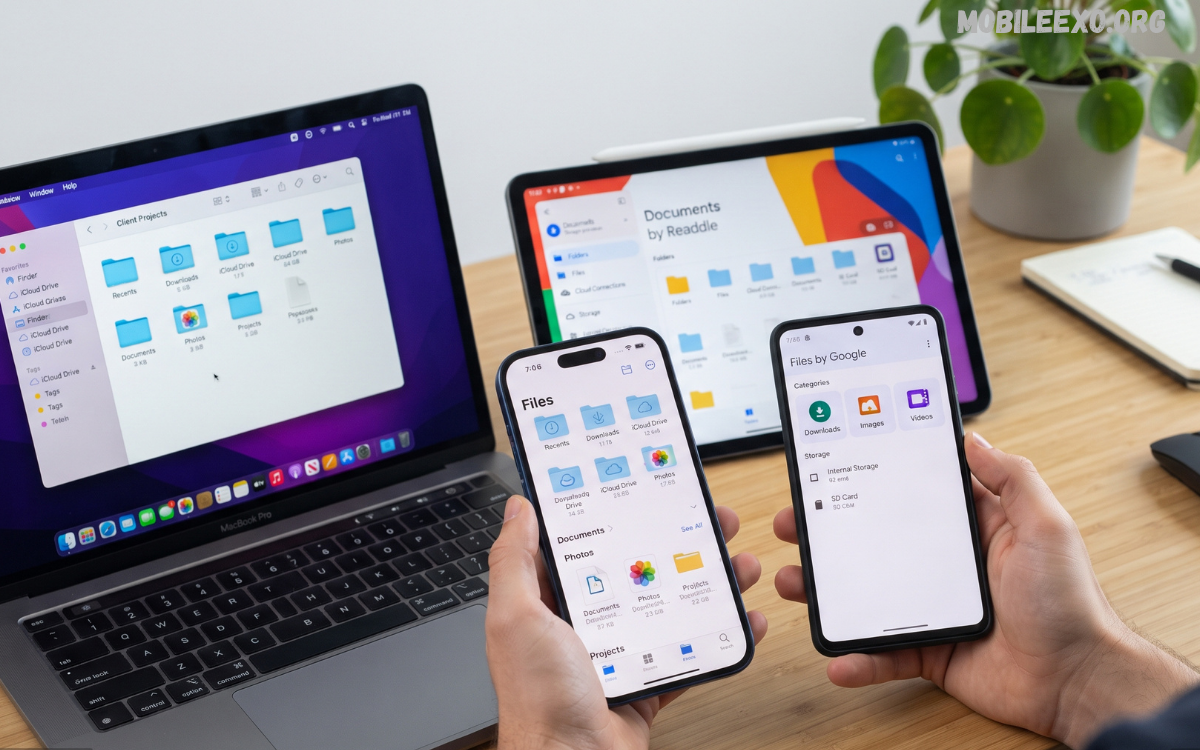
File Manager Apps have become essential tools for Android users who need better control over documents, photos, videos, downloads, applications, and other digital content. Modern smartphones can store thousands of files, making an efficient file management system important for maintaining organization, accessibility, and device performance.
The latest File Manager Apps provide much more than basic folder browsing, offering advanced search, file transfers, cloud integration, storage analysis, archive support, document management, and security features. Whether managing personal documents, clearing unnecessary files, transferring media, or organizing downloaded content, a reliable file manager can simplify everyday smartphone usage.
What Are File Manager Apps?
File Manager Apps are Android applications designed to help users browse, organize, copy, move, rename, delete, share, and manage files stored on smartphones or external storage devices. These applications provide a centralized interface for accessing folders and files that may otherwise be difficult to manage through default Android tools.
A modern file manager can display storage locations, categorize content, identify large files, and provide shortcuts to frequently accessed folders. Advanced applications also support cloud storage, network connections, compressed archives, document previews, and secure file management.
Why File Manager Apps Are Important
Smartphones are increasingly used for downloading documents, creating photos and videos, receiving files through messaging platforms, and storing application data. Without proper organization, important files can become difficult to locate while unnecessary content can consume valuable storage space.
File Manager Apps provide a practical solution by allowing users to maintain organized folders and quickly locate specific content. Efficient file management can also make routine tasks such as sharing documents, backing up photos, and transferring files considerably easier.
Key Features of File Manager Apps
The best File Manager Apps combine multiple management tools within a single interface, reducing the need for separate utilities. Understanding these features can help users select an application that matches their storage habits and technical requirements.
File Browsing
File browsing is the foundation of every file management application, allowing users to navigate folders and storage locations through a structured interface. A good browsing system displays file names, formats, sizes, modification dates, and folder structures clearly.
Modern applications may provide grid and list layouts, customizable sorting, folder shortcuts, and category-based browsing. These options make it easier to locate frequently used documents, images, videos, downloads, and other content.
Advanced File Search
Searching through thousands of files manually can consume significant time, particularly when users remember the file name but not its exact location. Advanced File Manager Apps provide search tools that can locate files using names, extensions, categories, dates, or storage locations.
Some applications provide filters for large files, recent files, duplicate content, and specific formats. These capabilities make file discovery faster and improve overall storage organization.
File Copying and Moving
Copy and move functions allow users to reorganize content between folders or storage locations without relying on complicated procedures. These tools are particularly useful when separating personal documents, work files, downloaded media, and application-related content.
Reliable File Manager Apps provide clear transfer progress indicators and allow users to cancel operations when necessary. Some applications also support batch operations, allowing multiple files to be moved or copied simultaneously.
File Sharing
Sharing features make it easier to send documents, images, videos, and other files through compatible applications. Users can select one or multiple files before choosing a supported sharing method.
Some advanced file managers also provide direct transfer functionality between nearby devices. This can reduce dependency on external services when transferring large amounts of data between compatible devices.
Storage Analysis
Storage analysis helps users understand how smartphone storage is being consumed. File Manager Apps can categorize content into images, videos, applications, documents, archives, downloads, and other file types.
Storage visualization tools can identify folders or categories occupying significant space. Users can then review unnecessary content and make informed decisions about what should remain on the device.
Cloud Storage Integration
Cloud integration has become an important feature for modern file management applications. Connecting services such as Google Drive, OneDrive, Dropbox, or other supported platforms allows users to access cloud-based files from a centralized interface.
Cloud integration can simplify file transfers between local storage and online storage. It also provides a convenient way to organize documents without repeatedly switching between different applications.
Archive and Compression Support
Compressed archives are commonly used for distributing multiple files within a single package. Many File Manager Apps support popular formats such as ZIP and provide tools for extracting or creating archives.
Archive management can reduce clutter and simplify file sharing by grouping related content into a single package. Advanced applications may also support password-protected archives and multiple compression options.
File Security and Privacy
File security is an important consideration when managing personal documents, photographs, financial records, and other private information. Some File Manager Apps provide secure folders, application locks, encrypted storage, or protected file areas.
Privacy features vary considerably between applications, so users should review permissions and security capabilities before selecting a file manager. A trustworthy application should request only permissions necessary for its core functionality and provide transparent information about data handling.
Duplicate File Detection
Duplicate files can gradually consume substantial storage space, particularly when users repeatedly download images, videos, documents, or media files. Duplicate detection features identify identical or potentially repeated content and help users review unnecessary copies.
A responsible cleanup process should always include a manual review before deleting important files. Automated recommendations can be useful, but users should verify files carefully when content has similar names or appearances.
Large File Identification
Large files are among the easiest ways to reclaim smartphone storage when space becomes limited. File Manager Apps with storage analysis can identify unusually large videos, archives, installation packages, and other content.
Reviewing large files provides a more controlled approach than deleting random content. Users can determine which files are still valuable and remove only unnecessary items.
File Manager Apps for Android
Android provides built-in file management capabilities, but dedicated applications can offer additional functionality. Users who frequently download content, transfer files, manage documents, or work with multiple storage locations can benefit from advanced file management tools.
Different Android devices may provide different default file management interfaces depending on the manufacturer and software version. Dedicated File Manager Apps can provide a more consistent experience with additional customization and management options.
How to Choose the Best File Manager Apps
Selecting the right application depends on storage requirements, file types, privacy expectations, and preferred features. Users should prioritize applications that offer reliable performance, intuitive navigation, useful search tools, and appropriate security controls.
Storage usage should also be considered because some file managers include unnecessary features or advertisements that can affect the user experience. A lightweight application with essential functionality may be preferable for users who simply need efficient browsing and organization.
Important Features to Consider
Before installing File Manager Apps, users should evaluate several important factors. Storage analysis, advanced search, file transfer, archive support, cloud integration, privacy controls, and customization can significantly influence the overall experience.
Permission requirements deserve particular attention because file managers generally require access to device storage. Users should understand why permissions are requested and avoid applications that demand unrelated or excessive access.
Benefits of Using File Manager Apps
The primary advantage of File Manager Apps is improved organization. Users can create structured folders, rename files, relocate content, and maintain a cleaner storage environment.
Another major benefit is improved accessibility because important files can be found quickly through search, categories, or shortcuts. This saves time when working with documents, media, downloads, and other frequently accessed content.
File managers can also support better storage management by identifying large, duplicate, or unnecessary files. Regular storage reviews can help users maintain available space without removing valuable content unnecessarily.
File Organization Tips
Creating a consistent folder structure is one of the simplest ways to improve digital organization. Separate folders for documents, school or work projects, photographs, videos, downloads, and personal files can make navigation significantly easier.
Meaningful file names also improve search efficiency and reduce confusion. Instead of generic names, users can organize files using descriptive titles, dates, project names, or categories where appropriate.
Managing Downloads Efficiently
The Downloads folder can become cluttered quickly because browsers, messaging applications, and other services frequently save content there. Regularly reviewing downloaded files can prevent unnecessary storage consumption and make important documents easier to locate.
Users should avoid deleting files without checking their importance. Some downloads may contain documents, images, installation packages, or other content that could still be required later.
Read Also: AI Apps: The Complete Guide to the Best Artificial Intelligence Apps
File Manager Apps and Productivity
Effective file management can contribute directly to digital productivity. Quickly locating a presentation, document, image, video, or project folder eliminates unnecessary searching and keeps everyday workflows organized.
Students, professionals, content creators, and mobile users can benefit from structured file systems. A reliable file manager turns smartphone storage into a more manageable digital workspace.
File Transfers Between Devices
Transferring files between smartphones, computers, tablets, and external storage is another important function. File Manager Apps with network or sharing capabilities can simplify these transfers when supported by the device and operating system.
Users should select transfer methods based on file size, security requirements, and available connectivity. Important private documents should be transferred through trusted connections rather than unfamiliar third-party services.
Common Mistakes to Avoid
One common mistake is deleting files without checking their purpose or location. Removing system-related files or important application data can cause unexpected problems, so users should only delete content they understand.
Another mistake is installing file managers from unknown sources. Downloading applications through reputable app stores and reviewing developer information, permissions, updates, and user feedback can reduce unnecessary security risks.
Are File Manager Apps Safe?
File Manager Apps can be safe when obtained from reputable developers and used with appropriate permissions. Because these applications may require broad access to device storage, choosing a trustworthy application is particularly important.
Users should keep their file manager updated and avoid granting unnecessary permissions. Security-conscious users should also review privacy information and remove applications that demonstrate suspicious behavior.
Future of File Manager Apps
File management is becoming increasingly intelligent as Android technology evolves. Future File Manager Apps are likely to place greater emphasis on automated organization, smarter search, cloud synchronization, privacy protection, and AI-assisted file categorization.
Advanced automation could help users identify important content, organize files by context, and discover storage problems more efficiently. These developments may transform traditional file managers from simple browsing utilities into comprehensive digital organization platforms.
Frequently Asked Questions
What are File Manager Apps?
File Manager Apps are Android tools that help users browse, organize, copy, move, rename, delete, search, and share files stored on their devices. They provide a convenient interface for managing documents, images, videos, downloads, archives, and other digital content.
Why should I use File Manager Apps?
File Manager Apps make smartphone storage easier to organize and manage. They can help users locate files quickly, identify unnecessary content, manage folders, and transfer files between different storage locations.
Are File Manager Apps safe to use?
Most reputable File Manager Apps are safe when downloaded from trusted sources and used with appropriate permissions. Users should review requested permissions, developer information, privacy policies, and application updates before installation.
Can File Manager Apps free up storage?
Yes, many File Manager Apps include storage analysis tools that identify large, duplicate, or unnecessary files. Users can review these recommendations and remove unwanted content to reclaim available storage space.
Can File Manager Apps manage ZIP files?
Many modern File Manager Apps support ZIP archives and other compressed formats. Depending on the application, users may be able to open, extract, create, and manage compressed files directly from their smartphones.
Can File Manager Apps access cloud storage?
Some File Manager Apps integrate with cloud platforms, allowing users to browse, copy, move, download, and manage supported cloud files alongside local storage. Available cloud services vary between applications.
Do File Manager Apps support file sharing?
Yes, many applications include built-in sharing options that allow users to send documents, images, videos, and other files through compatible applications or supported transfer methods.
How can I choose the best File Manager Apps?
Consider features such as search, storage analysis, file transfers, archive support, cloud integration, privacy controls, performance, and ease of use. Choose an application that provides the features you actually need without unnecessary permissions.
Can File Manager Apps find duplicate files?
Some File Manager Apps include duplicate detection tools that scan storage for repeated content. Users should review detected files carefully before deleting anything to avoid removing important copies.
Do Android phones already have a File Manager?
Most modern Android devices include some form of built-in file management functionality, although features vary by manufacturer and Android version. Dedicated File Manager Apps can provide additional tools, customization, search options, and storage management features.
Conclusion
File Manager Apps remain valuable tools for Android users who want greater control over smartphone storage and digital content. From basic browsing and folder organization to advanced search, storage analysis, cloud integration, compression, sharing, and privacy features, modern applications provide a broad range of useful capabilities.
Choosing the right file manager depends on individual requirements and usage habits rather than the number of features available. A reliable application should provide straightforward navigation, efficient performance, useful management tools, sensible permissions, and strong privacy practices, helping users maintain an organized and accessible smartphone storage system throughout 2026.
