

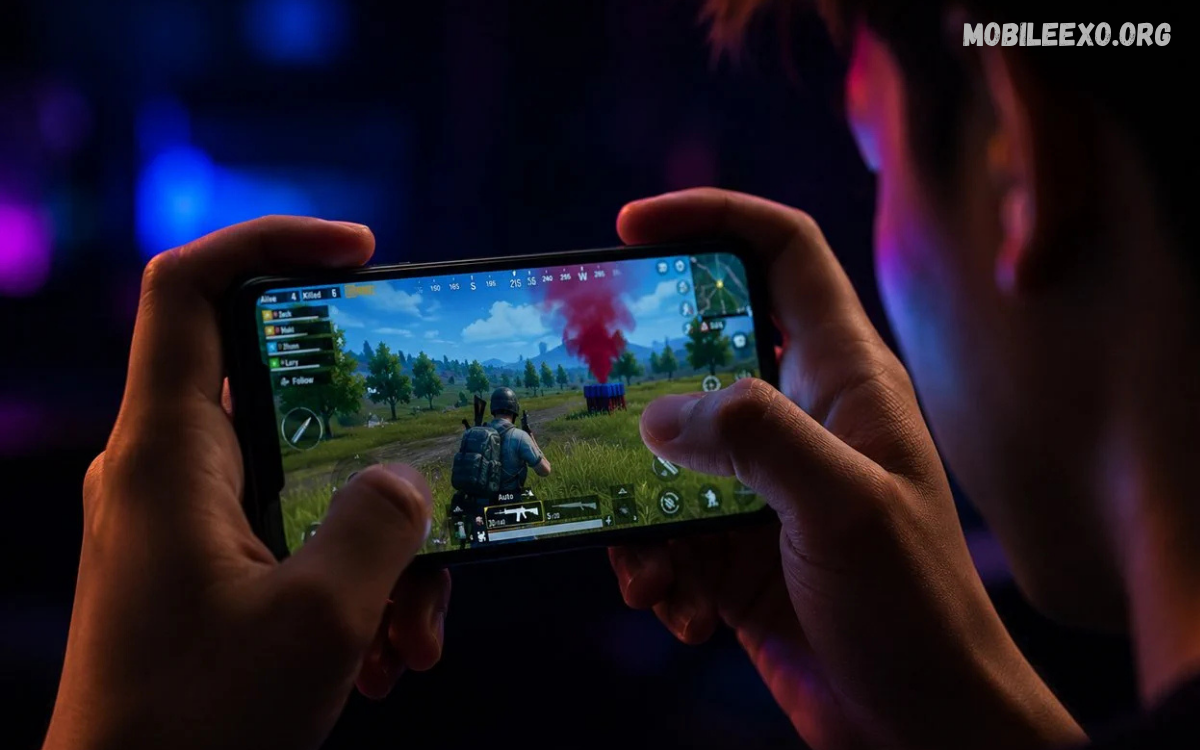
Mobile gaming has become a major part of modern entertainment, with smartphones offering powerful hardware, responsive controls, high-quality graphics, and multiplayer experiences.
Good mobile gaming depends on more than simply playing for longer hours. Device performance, control settings, internet stability, game configuration, battery management, and personal technique all affect gameplay.
What Are Mobile Gaming Tips?
Mobile gaming tips are practical techniques that help players improve their gameplay experience on smartphones and tablets.
Effective mobile gaming tips help both beginners and experienced players. Beginners can use them to set up comfortable controls and understand game mechanics, while experienced players can use them to improve reaction time, positioning, accuracy, decision-making, and overall consistency.
Choose the Right Graphics Settings
Graphics settings directly affect mobile gaming performance. Higher graphics quality can make a game look more detailed, but demanding settings can also increase processor and graphics workload. Players should select settings that provide a balance between visual quality and smooth gameplay.
For competitive games, stable frame rates are often more important than maximum graphical quality. Lowering unnecessary visual effects can reduce performance pressure and create a more responsive experience. Testing different settings can help identify the best configuration for a particular device.
Keep Your Smartphone Updated
Keeping the operating system and games updated is another important mobile gaming tip. Updates can include performance improvements, security fixes, compatibility changes, new features, and bug fixes that may affect gameplay. Installing stable updates can help maintain reliable device performance.
Players should also keep important gaming applications updated through official app stores. Before installing major system updates, checking available storage and ensuring important data is backed up can reduce potential problems. A properly maintained device provides a better foundation for gaming.
Improve Your Touch Controls
Touch controls require precision, especially in fast-paced games. Players should customize button positions, sizes, sensitivity, and layouts according to their comfort. A well-organized control layout can make important actions easier to reach during intense gameplay.
Avoid changing controls constantly once a comfortable configuration has been established. Consistency allows muscle memory to develop over time. Players can practice the same movements repeatedly so aiming, movement, jumping, shooting, switching weapons, or using abilities become more natural.
Adjust Sensitivity Settings
Sensitivity settings can significantly affect aiming and camera movement in mobile games. Extremely high sensitivity may make precise movements difficult, while extremely low sensitivity can make quick turns slower. The ideal setting depends on the game, device, control style, and individual preference.
Players should adjust sensitivity gradually instead of changing multiple settings at once. Testing one adjustment at a time makes it easier to understand its effect. Practice modes are useful for finding settings that provide accurate movement while still allowing fast reactions.
Use a Stable Internet Connection
A stable internet connection is essential for online multiplayer gaming. High latency, packet loss, or inconsistent connectivity can cause delayed actions, movement problems, and interruptions. Players should use a reliable Wi-Fi connection or a strong mobile data connection when available.
Reducing unnecessary network activity can also help. Large downloads, video streaming, cloud synchronization, and other bandwidth-heavy activities may affect connection stability. When possible, gaming on a reliable network with minimal congestion can create a more consistent online experience.
Reduce Background Apps
Background applications can consume memory, processing resources, battery power, and network bandwidth. Closing unnecessary applications before starting a demanding game can help the smartphone dedicate more resources to the game.
However, players should avoid using aggressive third-party cleaning applications that make unrealistic performance claims. Modern smartphone operating systems already manage many background processes automatically. The goal should be to remove unnecessary workload rather than constantly forcing applications to close.
Manage Smartphone Storage
Low storage can affect general device performance and make updates difficult to install. Games can also require significant storage space because modern titles may contain high-resolution textures, downloadable content, maps, voice files, and other resources.
Reviewing unused applications, old downloads, duplicate media, and unnecessary game files can help free space. Maintaining adequate available storage gives the operating system room to perform routine tasks and makes it easier to install game updates.
Keep Your Device Cool
Heat management is one of the most useful mobile gaming tips for long gaming sessions. Intensive games can generate significant heat because the processor and graphics hardware work continuously. Excessive heat may lead to thermal throttling, which can reduce performance.
Avoid gaming in extremely hot environments or covering the smartphone with materials that prevent heat from escaping. If the device becomes unusually hot, taking a short break can allow temperatures to return to a normal range. Keeping the device at a comfortable temperature supports consistent performance.
Manage Battery During Gaming
Modern games can consume substantial battery power, especially when using high brightness, demanding graphics, high refresh rates, mobile data, and location services. Adjusting unnecessary settings can extend battery life during gaming sessions.
Players should use reliable charging accessories and avoid placing excessive thermal stress on the device. If gaming while charging causes significant heat, taking breaks can help reduce thermal load. Battery management should focus on maintaining a comfortable temperature and avoiding unnecessary power consumption.
Improve Your Reaction Time
Reaction time is important in competitive mobile games. Players can improve responsiveness through regular practice, familiar controls, and better awareness of common situations. Learning to anticipate events can also reduce the amount of time required to respond.
Warm-up sessions can help players become comfortable with controls before entering competitive matches. Short practice routines involving aiming, movement, target switching, or quick decision-making can gradually improve consistency. Quality practice is generally more useful than simply playing without a specific goal.
Learn Game Mechanics
Understanding game mechanics is one of the most important mobile gaming tips for long-term improvement. Players should learn how movement, weapons, abilities, maps, characters, resources, scoring systems, and objectives work within a particular title.
Knowledge allows players to make better decisions instead of relying entirely on fast reactions. Reading official game information, exploring training areas, and observing experienced gameplay can help players understand mechanics. Once the basic systems are understood, practice becomes more focused.
Improve Your Map Awareness
Map awareness can provide a major advantage in multiplayer games. Knowing important locations, routes, objectives, cover positions, and common engagement areas helps players make better decisions during matches.
Players should regularly observe their surroundings rather than focusing only on the immediate target. Audio cues, minimaps, teammate positions, and environmental changes can provide useful information. Strong awareness helps players anticipate situations before they become emergencies.
Use Headphones for Better Audio Awareness
Audio can provide valuable information in many mobile games. Footsteps, vehicle sounds, weapon effects, ability sounds, environmental cues, and other audio signals can help players understand what is happening around them.
Using comfortable headphones can make important sounds easier to identify, provided the game and device support appropriate audio output. Players should maintain a reasonable listening volume to protect hearing and remain aware of their surroundings when gaming in public or shared spaces.
Practice One Skill at a Time
Trying to improve every aspect of gameplay simultaneously can make progress difficult to measure. A better approach is to focus on one skill, such as aiming, movement, positioning, map awareness, resource management, or decision-making.
After practicing one skill consistently, players can move to another area. This structured approach makes weaknesses easier to identify and provides a clearer sense of improvement. Recording personal gameplay can also help players notice mistakes that may not be obvious while playing.
Learn From Gameplay Mistakes
Mistakes provide useful information when players analyze them objectively. Instead of simply blaming teammates, internet problems, or opponents, players can review what happened before an unsuccessful play and identify possible improvements.
For example, a player might discover that they entered an exposed area, ignored important audio information, used an ability too early, or failed to monitor available resources. Recognizing repeat mistakes creates opportunities for targeted practice and better decision-making.
Develop Better Positioning
Positioning is an important part of competitive mobile gaming. A strong position can provide better visibility, cover, escape routes, and control over important areas. Players should consider the surrounding environment before committing to an engagement.
Good positioning also involves understanding when to move. Staying in one location for too long can create predictable patterns, while moving without a clear reason can expose a player unnecessarily. The right balance depends on the game and current match situation.
Manage Resources Carefully
Many games include resources such as ammunition, health items, abilities, currency, equipment, energy, or building materials. Using these resources without considering future needs can create problems later in a match.
Players should learn which resources are essential and when they should be saved. Efficient resource management supports better decision-making during important moments. Understanding the game economy can also help players prioritize purchases, upgrades, and equipment.
Avoid Unnecessary Distractions
Distractions can reduce concentration and increase mistakes. Notifications, calls, social media alerts, background videos, and other interruptions can break focus during important matches.
Using appropriate notification settings can create a more focused gaming environment. Players should also choose a comfortable location where they can concentrate without disturbing other people. A distraction-free environment can improve consistency without requiring additional hardware or software.
Take Regular Breaks
Regular breaks are an important part of healthy gaming habits. Long periods of continuous screen use can contribute to eye strain, discomfort, poor posture, and reduced concentration. Short breaks give players an opportunity to rest and reset.
Players can use breaks to stretch, move around, drink water, and look away from the screen. If concentration starts declining, continuing to play may not produce useful practice. Taking a break can help maintain better focus when returning to the game.
Use a Comfortable Gaming Position
Comfort can influence gaming performance during longer sessions. Holding a smartphone in an awkward position for extended periods may create unnecessary strain in the hands, wrists, neck, or shoulders.
Players should maintain a comfortable posture and avoid excessive pressure on the hands. Supporting the device when appropriate can also reduce fatigue. Comfort should remain a priority, particularly during extended gaming sessions.
Choose Games That Match Your Device
Not every smartphone is designed to deliver the same gaming performance. Processor capability, graphics hardware, RAM, display refresh rate, storage technology, and thermal design can all influence gaming performance.
Before installing a demanding game, players should review its official requirements and available device storage. Selecting games that match the capabilities of a smartphone can reduce performance problems and provide a more consistent experience.
Understand Frame Rates
Frame rate refers to how many frames a game displays per second. Higher frame rates can make movement and animations appear smoother, particularly in games involving fast camera movement and competitive action.
A stable frame rate is often more useful than constantly switching between high and low performance. Players should select a frame-rate setting their device can maintain consistently. Testing performance during actual gameplay is more useful than relying only on advertised specifications.
Read Also: Mobile Game Strategies: Complete Guide to Better Gaming Performance
Customize Display Settings
Display settings can influence both visibility and battery consumption. Brightness, refresh rate, screen resolution, color settings, and visual modes may affect how comfortable gaming feels.
Players should choose brightness based on the surrounding environment instead of keeping the display unnecessarily bright. A comfortable display can reduce visual discomfort while helping manage battery usage. Some devices also offer gaming modes that provide additional display and performance controls.
Use Official Game Resources
Official game resources can provide useful information about updates, controls, features, events, and known issues. Players should prioritize official websites, official support pages, and verified game channels when looking for important information.
This approach can reduce confusion caused by outdated guides or inaccurate claims. Community discussions can also provide useful strategies, but players should verify important information against current official documentation when possible.
Keep Game Accounts Secure
Account security is an essential part of mobile gaming. Players should use strong, unique passwords where applicable and enable available security features such as two-factor authentication.
Players should also be cautious about websites, messages, or applications that request account credentials or promise unrealistic rewards. Never share passwords or security codes with other people. Protecting an account helps prevent avoidable access and recovery problems.
Avoid Unofficial Game Downloads
Installing games from unknown sources can create security and compatibility risks. Unofficial downloads may contain modified files, unwanted software, outdated versions, or misleading content.
Using official app stores and trusted game publishers is generally a safer approach. Players should verify the developer name and application details before installation. Keeping the operating system and security protections updated provides an additional layer of protection.
Build a Consistent Practice Routine
Consistency is one of the strongest principles behind effective mobile gaming tips. A short, focused practice routine can be more useful than occasional long sessions without a clear objective.
Players can create a routine that includes warm-up exercises, targeted skill practice, normal matches, and brief review sessions. Tracking progress over time can help identify which skills are improving and which areas require additional attention.
Play With Better Team Communication
Team communication can have a major effect on multiplayer games. Clear and concise information about enemy positions, objectives, resources, movement, and strategy can help teammates coordinate more effectively.
Players should avoid unnecessary arguments or excessive communication during critical moments. Simple and relevant information is usually easier for teammates to understand. Good communication focuses on helping the team respond to the current situation.
Learn From Experienced Players
Watching experienced players can expose beginners to strategies they may not discover through normal play. Observing positioning, movement, decision-making, resource management, and timing can reveal different approaches to the same situation.
Players should avoid copying every action without understanding its purpose. Instead, identify why an experienced player made a particular decision. Understanding the reasoning behind a strategy makes it easier to adapt that knowledge to personal gameplay.
Keep Your Gaming Goals Realistic
Improvement takes time, and players develop at different rates. Setting realistic goals can make practice more productive and reduce unnecessary frustration.
Instead of focusing only on winning, players can track specific objectives such as improving accuracy, reducing repeated mistakes, learning a map, mastering a character, or improving decision-making. Small improvements can eventually produce significant changes in overall gameplay.
Best Mobile Gaming Tips for Beginners
Beginners should start with basic settings, comfortable controls, stable connectivity, and an understanding of the game’s core mechanics. There is no need to immediately use advanced configurations or complicated strategies before learning the fundamentals.
New players should spend time exploring training modes, practicing controls, learning maps, and understanding objectives. A strong foundation makes advanced techniques easier to learn. Patience and consistent practice are valuable when developing new gaming skills.
Mobile Gaming Tips for Competitive Players
Competitive players can focus on consistency, sensitivity optimization, positioning, communication, map awareness, and detailed gameplay analysis. Small improvements in these areas can influence performance during close matches.
Competitive players should also pay attention to device temperature, frame-rate stability, network quality, and control responsiveness. Technical problems can interfere with otherwise strong gameplay. A reliable setup allows players to focus more attention on strategy and execution.
Common Mobile Gaming Mistakes to Avoid
One common mistake is using graphics settings that a device cannot maintain smoothly. Other problems include unstable internet connections, poor control layouts, excessive background activity, insufficient storage, and ignoring device temperature during demanding sessions.
Another common mistake is practicing without identifying a specific weakness. Playing more matches does not automatically solve every problem. Reviewing mistakes and choosing a clear skill to improve can make practice more efficient and productive.
Frequently Asked Questions
What Are the Best Mobile Gaming Tips for Beginners?
The most useful starting points include comfortable controls, suitable graphics settings, stable internet, basic game knowledge, and regular practice. Beginners should focus on understanding the game’s mechanics before attempting advanced techniques.
How Can I Improve Mobile Gaming Performance?
Players can improve performance by selecting suitable graphics settings, closing unnecessary background activity, maintaining adequate storage, keeping software updated, and managing device temperature. A stable frame rate is particularly useful for fast-paced games.
How Can I Improve My Aim in Mobile Games?
Improving aim requires consistent practice and comfortable sensitivity settings. Players should experiment with sensitivity gradually and use training modes to practice tracking, target switching, precision, and movement.
Does Higher FPS Improve Mobile Gaming?
Higher frame rates can make movement and camera transitions appear smoother, particularly in fast-paced games. However, the benefit depends on the device, game, display, and ability of the smartphone to maintain the selected frame rate.
How Can I Reduce Lag in Mobile Games?
Reducing lag starts with checking the internet connection, server region, device performance, and background network activity. A stable connection can help reduce delays in online multiplayer games.
How Can I Make Mobile Gaming More Comfortable?
Players can improve comfort by maintaining a relaxed posture, supporting the device when appropriate, using comfortable controls, and taking regular breaks. Display brightness should match the surrounding environment.
Are Gaming Phones Necessary for Mobile Gaming?
A dedicated gaming phone is not required for every mobile game. Many modern smartphones can run popular games effectively when their settings are adjusted according to hardware capabilities.
How Important Is Internet Speed for Mobile Gaming?
Connection stability and latency can be more important than maximum download speed for many online games. A stable connection helps reduce sudden interruptions and delayed responses during multiplayer matches.
Conclusion
The most effective mobile gaming tips focus on creating a reliable setup and developing consistent gaming habits. Graphics settings, controls, sensitivity, internet stability, device temperature, storage, and battery management can all influence the overall experience.
Skill development also requires patience and focused practice. Learning game mechanics, improving positioning, analyzing mistakes, communicating effectively, and maintaining a comfortable gaming routine can help players make steady progress.

1 Comment
Pingback: New Android Games: Latest Releases and Updates - Mobileexo