

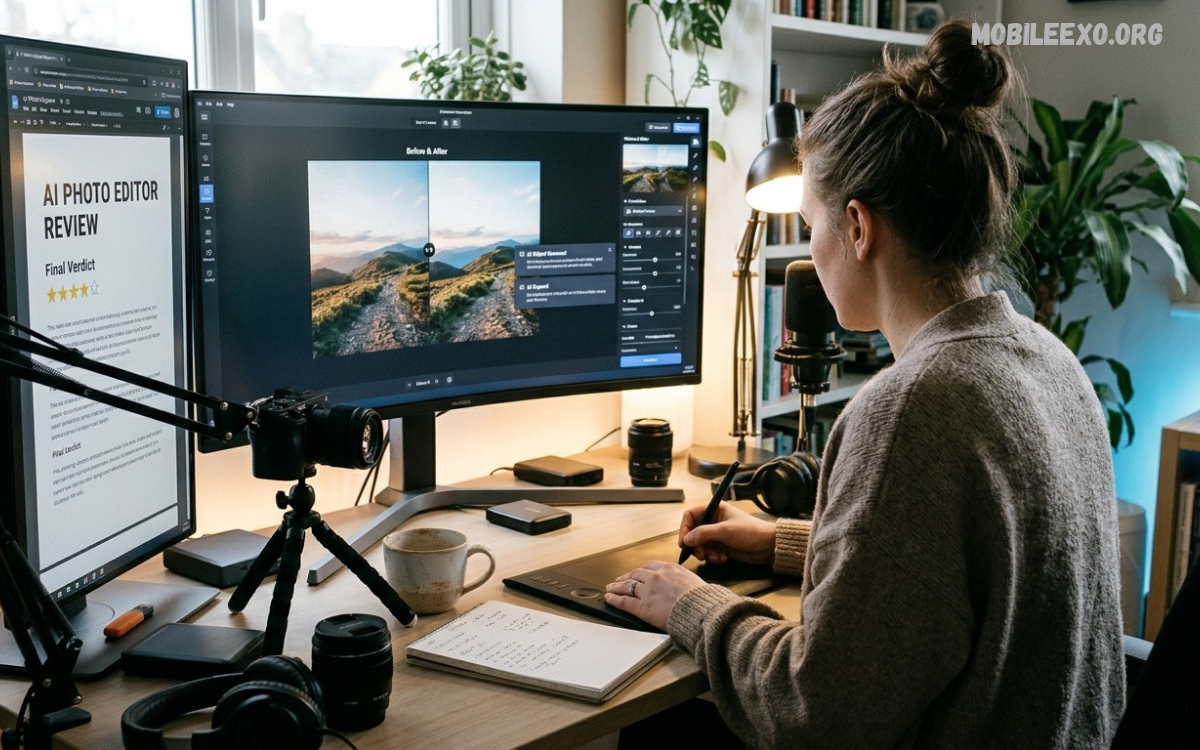
This AI Photo Editor Review explores how artificial intelligence is transforming photo editing into a simple, creative, and accessible process. These tools help users improve image quality, adjust colors, remove unwanted backgrounds, and create attractive visuals with less manual effort.
AI photo editors help beginners, students, content creators, and photography enthusiasts who want practical editing features. The best choice depends on image quality, available tools, ease of use, privacy options, and whether essential features are available for free.
What Is an AI Photo Editor?
An AI photo editor is an image-editing tool that uses artificial intelligence to recognize objects, understand image details, and automate selected editing tasks. Instead of adjusting every setting manually, users can apply intelligent enhancements, change backgrounds, improve lighting, and experiment with creative effects.
Many editors offer automatic retouching, object selection, image restoration, portrait enhancement, and generative editing. The available features vary between applications, so reviewing each tool’s capabilities helps users select an editor that matches their creative needs.
Important Features of AI Photo Editors
Automatic Photo Enhancement
Automatic enhancement is one of the most useful features discussed in an AI Photo Editor Review. AI-powered tools can analyze brightness, contrast, color balance, sharpness, and exposure, then recommend adjustments that improve the overall appearance of an image.
This feature is especially helpful when a photograph looks too dark, appears slightly blurry, or has uneven lighting. However, automatic enhancement does not guarantee perfect results, so checking the edited image before saving helps maintain natural colors and realistic details.
Background Removal and Replacement
Background removal allows users to separate a subject from its surroundings without manually tracing every edge. AI can recognize people, products, pets, and other objects, making it easier to create clean portraits, product images, and creative compositions.
Background replacement takes this process further by allowing users to place a subject against a different scene or color. Hair, transparent objects, shadows, and complex edges may still require manual corrections, especially when the original photograph contains similar colors or poor lighting.
AI Object Removal
AI object removal helps eliminate unwanted distractions from photographs, including background clutter, small objects, and other elements that affect the composition. The software analyzes nearby pixels and generates replacement details to make the edited area blend with the surrounding image.
Results depend on the complexity of the scene and the size of the removed object. Simple backgrounds usually produce convincing results, while complicated textures, repeating patterns, and overlapping subjects may create visible imperfections that require additional editing.
Portrait Enhancement
Portrait enhancement tools can improve lighting, soften temporary imperfections, brighten photographs, and adjust selected facial details. These features are useful for profile pictures, family portraits, professional headshots, and everyday photography when users want a polished appearance without complicated editing techniques.
A good AI photo editor should preserve realistic skin texture and individual facial characteristics rather than applying excessive smoothing. Subtle adjustments generally create more natural results, while overly strong filters can make photographs appear artificial or remove important details.
Best AI Photo Editors to Consider
Adobe Photoshop
Adobe Photoshop is a powerful option for users who need detailed editing controls combined with AI-powered features. Its capabilities include intelligent selections, generative editing, object removal, background changes, and layered compositions, making it suitable for complex creative projects.
The software provides extensive control over individual image elements, but beginners may need time to understand its interface and advanced tools. Subscription costs and feature availability should also be considered before choosing it for regular editing work. DataCamp+1
Adobe Lightroom
Adobe Lightroom is designed for photographers who want to organize image collections and improve photographs through detailed adjustments. Its editing workflow includes exposure correction, color grading, noise reduction, masking, and AI-assisted tools that can simplify selected tasks.
Lightroom is particularly useful when consistent colors and natural-looking results matter across multiple photographs. Some advanced capabilities require a paid plan, and users who need complex composites or extensive graphic design features may prefer a more specialized editor. DataCamp+1
Canva
Canva combines photo editing with graphic design tools that help users create social media posts, presentations, promotional graphics, and other visual content. Its AI-assisted editing features can simplify selected tasks, while templates and layout controls make it approachable for beginners.
The platform is useful when photographs need to become part of a larger design rather than remain standalone images. Some advanced editing options are restricted to paid plans or usage limits, so users should review the available features before depending on them for frequent projects. DataCamp+1
Pixlr
Pixlr offers browser-based editing tools with features for background removal, object removal, image adjustments, and selected generative edits. Its accessible interface can appeal to users who want to edit photographs without learning a complicated professional application.
The main advantage is convenience, particularly for quick edits on supported devices. However, AI usage allowances, export limits, and available tools can differ between plans, so checking current conditions helps users understand whether the free version meets their needs. Zapier+1
Photoroom
Photoroom focuses on product photography and visual content for online sellers, small businesses, and creative projects. Background removal, generated scenes, object adjustments, and batch processing can help produce consistent product images without arranging a complete photography setup for every item.
Its specialized workflow can save time when many product photographs require similar treatment. Nevertheless, advanced features and higher-volume exports may require payment, and generated backgrounds should be checked carefully to ensure products remain accurate and visually consistent. TechRadar+1
Benefits of Using AI Photo Editing Tools
Faster Editing Workflow
AI photo editors can automate repetitive tasks that traditionally require multiple manual adjustments. Features such as automatic subject selection, background removal, noise reduction, and image enhancement allow users to complete many routine edits more efficiently.
This speed is valuable for people working with large photo collections or preparing content regularly. Even so, a quick automated result may need additional correction, particularly when accuracy, natural lighting, or fine image details are important.
Beginner-Friendly Editing
Many AI-powered editors simplify complex tasks through guided controls, automatic suggestions, and straightforward interfaces. Beginners can improve photographs without needing extensive knowledge of masks, layers, color curves, or advanced retouching methods.
Learning basic editing principles remains useful because AI does not always understand the intended result. Understanding exposure, contrast, composition, and color balance helps users judge suggestions and make better decisions when automatic adjustments produce unexpected results.
Creative Freedom
AI editing tools encourage experimentation with backgrounds, lighting, colors, compositions, and visual styles. Users can explore different creative directions without recreating an entire photograph from the beginning, making these features useful for personal projects and design concepts.
Creative flexibility should be balanced with authenticity when photographs represent real events, products, or people. Generated elements may introduce details that were never present in the original scene, so important images should be reviewed carefully before publication or sharing.
Improved Image Quality
Some AI tools can reduce visible noise, improve apparent sharpness, upscale images, and restore selected details in older photographs. These capabilities may help make existing pictures more suitable for digital displays, presentations, and certain printing tasks.
However, AI enhancement cannot always recover information that a camera never captured. Upscaling may generate plausible details rather than restore the original scene perfectly, so keeping an untouched original is important whenever image accuracy matters.
How to Choose the Right AI Photo Editor
Identify Your Editing Needs
Begin by deciding what you want to achieve with your photographs. Portrait enhancement, product photography, background replacement, image restoration, and professional color correction require different features, so selecting a tool based on your main purpose is more effective than choosing one simply because it offers many AI functions.
Casual users may need only a few automatic adjustments, while photographers often benefit from precise controls and organized image libraries. Choosing according to your actual workflow can reduce unnecessary complexity and help you find a practical editing solution.
Check Ease of Use
An effective AI photo editor should make common tasks easy to locate and understand. Clear menus, helpful previews, accessible adjustment controls, and straightforward export options can improve the editing experience, especially for people who are learning image editing for the first time.
Before committing to a particular application, try a few ordinary editing tasks and examine the results. A simple interface is useful, but it should also provide enough control to correct mistakes and prevent unwanted changes to important image details.
Compare Free and Paid Features
Free versions can be suitable for everyday editing, but some applications limit exports, advanced AI tools, image resolution, or monthly usage. Paid plans may offer more capabilities, yet their value depends on how often you edit and whether those extra features genuinely improve your workflow.
Review the current pricing, renewal terms, cancellation conditions, and included usage allowances before subscribing. Testing available free features first can help you decide whether a paid option is necessary for your personal or creative needs.
Review Privacy and Security
Photographs can contain personal information, recognizable faces, location clues, or private surroundings. Before uploading sensitive images, check the application’s privacy policy to understand how files are processed, how long they are retained, and whether uploaded content may be used to improve its services.
Prefer tools with clear privacy information and sensible account security options. Avoid uploading confidential photographs to unfamiliar services, and remember that deleting an edited copy from your device may not automatically delete every copy stored by an online service.
AI Photo Editor Review for Mobile Users
Editing Photos on Android
Android users can find photo editors that provide automatic enhancement, filters, background editing, portrait adjustments, and selected AI features. The best choice depends on device compatibility, storage requirements, available processing power, and whether the application offers the editing functions needed for everyday photographs.
A practical mobile editor should allow users to preview changes, compare results with the original, and save images at a suitable resolution. Checking permissions and reviewing subscription details also helps users avoid unwanted access requests or unexpected charges.
Editing Photos on iPhone
iPhone users can choose from mobile editing applications that combine traditional image controls with AI-assisted features. Depending on the application and device, these tools may support portrait adjustments, object removal, background changes, color correction, and improvements to selected image details.
Compatibility and feature availability can differ between devices, operating system versions, and subscription plans. Users should check the application’s current requirements and test the editing workflow before relying on a particular feature for important photographs.
Mobile Performance and Storage
AI editing can require processing power, memory, storage space, or an internet connection, depending on how the application works. Large photographs and complex edits may take longer to process, particularly on older devices or when features rely on remote servers.
Keeping sufficient storage available and using supported image formats can make editing more convenient. Saving original photographs separately also protects valuable memories if an application crashes, an edit produces poor results, or a saved version replaces the wrong file.
AI Photo Editor Review for Social Media Content
Creating Better Profile Pictures
AI editing tools can help users improve profile pictures by adjusting exposure, correcting color balance, reducing distracting backgrounds, and applying subtle enhancements. These changes can make an image clearer while preserving the natural qualities that keep it recognizable.
The strongest results usually come from modest edits rather than dramatic alterations. Maintaining realistic facial details and avoiding excessive filters can help profile pictures remain appropriate for personal accounts, school activities, creative portfolios, and professional introductions.
Designing Attractive Social Posts
Social media content often combines photographs with text, colors, graphics, and other design elements. AI-assisted editing can prepare an image for a particular layout, while cropping and color correction help maintain visual consistency across different posts.
Users should consider image dimensions, readability, and the intended audience when preparing content. Reviewing the final composition on a smaller screen can reveal cropped details, difficult-to-read text, or distracting effects that were less noticeable during editing.
Maintaining Consistent Visual Style
A consistent visual style helps a collection of photographs feel organized and recognizable. Similar lighting, balanced colors, restrained filters, and repeated composition choices can create a unified appearance across personal projects or social media content.
AI presets and saved adjustments can make consistency easier, but applying identical settings to every photograph may produce uneven results. Different lighting conditions and subjects often require individual corrections, so a final review remains important even when automation is available.
Read Also: Lightroom Mobile Review: Features, Editing Tools, Pros and Cons
Common Problems With AI Photo Editors
Unnatural Editing Results
AI-generated changes may sometimes create distorted edges, inconsistent shadows, unusual textures, or details that do not match the original photograph. These issues are more noticeable around complex backgrounds, fine objects, reflective surfaces, and overlapping subjects.
Reviewing images at full resolution can help identify problems before exporting or sharing them. If an automatic result looks unrealistic, reducing the effect strength, changing the selection, or returning to the original image may produce a better outcome.
Limited Free Access
Some photo editors advertise free access but reserve certain features for premium plans or restrict the number of AI operations available. Free and paid versions may also differ in export quality, processing credits, watermarks, and batch-editing capabilities.
Reading the current plan details helps users avoid disappointment after completing an edit. A suitable free editor may be sufficient for occasional projects, while frequent users should compare the overall cost with the practical benefits of paid features.
Internet and Processing Requirements
Some AI features run directly on a device, while others send image data to remote servers for processing. Online tools may require a stable connection and can take longer to respond when services are busy or photographs are particularly complex.
Users should check whether offline editing is available when they don’t have reliable internet access. Understanding which features require connectivity can help prevent interruptions and clarify whether an application suits travel, school projects, or other situations with limited network access.
Loss of Original Image Details
Strong sharpening, aggressive smoothing, repeated compression, and generative edits can reduce the accuracy or quality of a photograph. Although an edited image may look impressive at first, close inspection can reveal lost textures, unnatural edges, or changes to important details.
Keeping an original copy and exporting at an appropriate quality provides a safer editing workflow. Whenever possible, use nondestructive adjustments or duplicate the original file so that you can compare versions and reverse unwanted changes.
Practical Tips for Better AI Photo Editing
Start With a High-Quality Photograph
A clear original image generally gives AI editing tools more useful information to analyze. Good lighting, sharp focus, and a suitable camera angle can make enhancement and background selection more effective, though the best approach depends on the photo and your desired result.
Choose the highest-quality original available rather than repeatedly editing a compressed copy. If the image is already noisy or blurry, try modest corrections first and check whether the result improves before applying stronger effects.
Use Natural-Looking Adjustments
Balanced editing usually preserves more detail than applying every available effect at maximum strength. Small improvements to brightness, contrast, color balance, and sharpness can make photographs look polished without changing their overall character.
Compare the edited result with the original throughout the process. If skin tones become unnatural, colors appear overly intense, or background details look inconsistent, reduce the effect or revise the edit until the photograph looks appropriate for its intended use.
Check Every Edited Area
Automatic selection and object removal can overlook small details, especially near hair, transparent materials, intricate patterns, and overlapping objects. Inspecting these areas before saving can help identify mistakes that may be difficult to notice in a small preview.
Zooming in is particularly useful for photographs intended for presentations, portfolios, product listings, or printing. Checking the entire image afterward also helps confirm that the lighting, composition, and colors remain consistent across the finished photograph.
Save Suitable Export Settings
Export settings affect the image’s file size, compatibility, and visual quality. JPEG is commonly suitable for sharing photographs, while PNG may be useful for graphics requiring transparency; the best format depends on the intended purpose and the features supported by the editor.
Choose an appropriate resolution for the final destination and avoid repeated compression when possible. Keeping a high-quality original alongside a smaller sharing copy provides flexibility when the same photograph is needed for different uses later.
Ethical Use of AI Photo Editing
Preserve Authenticity
AI editing can change the meaning of a photograph when it removes objects, creates new details, or replaces the original background. Creative changes may be appropriate for artwork and personal projects, but altered images can mislead viewers when presented as accurate records of real events.
Consider the purpose of the photograph before making substantial changes. When authenticity matters, preserve the original file and clearly identify significant generated alterations so that viewers can distinguish creative edits from documentary images.
Respect Other People’s Privacy
Editing photographs of other people requires consideration of their privacy and the context in which images will be used. Sharing a modified image without permission may cause embarrassment, misrepresent someone’s appearance, or expose information that should remain private.
Use AI tools responsibly and avoid creating misleading or humiliating edits of others. For photographs intended for public distribution, consider consent, the sensitivity of the image, and whether the changes could cause confusion or harm.
Understand Copyright and Usage Rights
Not every photograph is automatically available for unrestricted editing or publication simply because it can be downloaded. Images may be protected by copyright, and an application’s terms may set conditions for commercial use, generated content, or particular AI features.
Use photographs you own or have permission to edit, and review the relevant licensing terms before publishing commercial work. Clear records of image sources and permissions can help prevent disputes and support responsible creative practices.
Who Should Use an AI Photo Editor?
Beginners and Casual Photographers
Beginners can benefit from AI photo editors because automatic tools reduce the need to learn every technical editing process before producing useful results. Everyday adjustments, background cleanup, simple filters, and lighting corrections can make ordinary photographs more presentable with relatively little effort.
Casual photographers should prioritize ease of use, reliable exports, and the ability to preserve original images. An application with a small set of effective tools may offer better value than a complicated editor filled with features that are rarely needed.
Content Creators and Designers
Content creators can use AI editing to prepare images for posts, thumbnails, presentations, and visual campaigns. Automated selections and image adjustments may reduce repetitive work, allowing more time for planning layouts, writing content, and developing a recognizable creative style.
Designers who need precise control should also consider layers, masks, export quality, and compatibility with their existing workflow. AI features are most helpful when they support creative decisions rather than replace the careful review needed for professional-looking results.
Small Businesses and Online Sellers
Small businesses can use AI editing to clean up product photos, create consistent backgrounds, and improve catalog image presentation. These tools can be particularly helpful when products must be displayed clearly across multiple listings or promotional materials.
Product accuracy remains essential because generated edits can change colors, textures, proportions, or other details that customers expect to see correctly. Businesses should review every image carefully and avoid alterations that could mislead buyers about the actual item.
Frequently Asked Questions
What Is the Best AI Photo Editor?
The best AI photo editor depends on your goals. Photoshop offers extensive editing control, Lightroom suits photography workflows, Canva supports accessible design, Pixlr provides convenient browser-based tools, and Photoroom focuses on product images.
Are AI Photo Editors Free?
Some AI photo editors offer free versions with useful features, while others restrict advanced tools, exports, or usage allowances. Check current plan details before choosing an application for regular editing.
Can AI Improve Blurry Photos?
Some AI tools can improve apparent sharpness and reduce noise, but results vary according to the original image. They may generate plausible details rather than recover information that was never captured.
Can AI Remove Backgrounds Automatically?
Yes, many AI photo editors can identify subjects and separate them from backgrounds. Complex edges, similar colors, and transparent objects may still require manual corrections.
Are AI Photo Editors Safe to Use?
Safety depends on the application’s security practices, privacy policy, and permissions. Review how images are processed and stored, and avoid uploading sensitive photographs to unfamiliar services.
Do AI Photo Editors Work on Mobile Devices?
Many AI photo editors support Android phones and iPhones, though features vary by app and device. Check compatibility, storage requirements, and internet needs before installing an editor.
Can AI Photo Editors Create Professional Results?
AI photo editors can produce high-quality results when the source image is suitable and the tools are used carefully. Professional projects may still require manual corrections, accurate colors, and detailed quality checks.
Is AI Photo Editing Better Than Manual Editing?
AI editing can speed up repetitive tasks, while manual editing offers precise control over individual details. Combining both methods often offers a practical balance between speed, flexibility, and quality.
Conclusion
An AI Photo Editor Review shows that artificial intelligence can simplify many everyday editing tasks, including image enhancement, background removal, object cleanup, and creative adjustments.
Overall, AI photo editing works best when automation is paired with human judgment. Compare the original and edited image, check privacy and pricing, and choose tools that preserve the details that matter. A careful workflow helps users create attractive, useful, realistic photos without unnecessary complexity.

1 Comment
Pingback: Honest Android App Reviews: Features, Pros, Cons, and User Experience - Mobileexo