

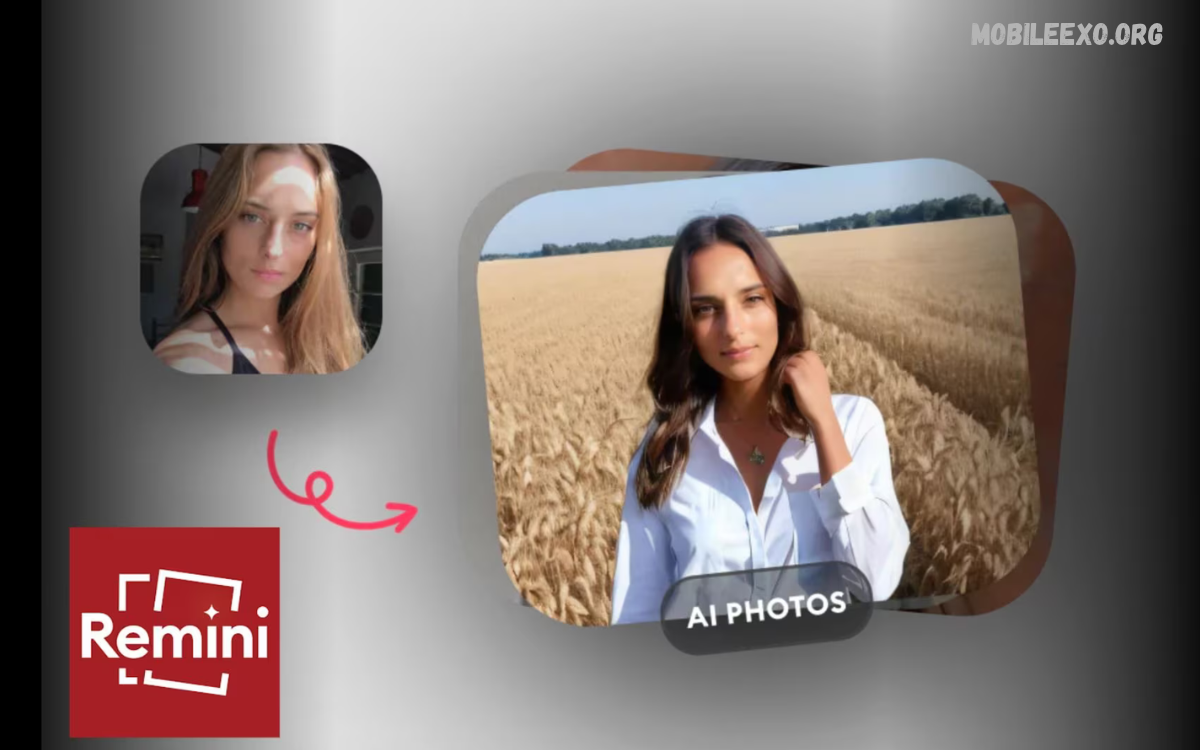
AI photo editing apps have transformed digital photography by making image enhancement easier, faster, and more accessible.
This AI Photo Editing App Review explores important features, editing tools, performance, benefits, limitations, and practical uses of AI-powered photo editors.
What Is an AI Photo Editing App?
An AI photo editing app is a mobile or desktop application that uses artificial intelligence to modify and improve digital photographs. These applications analyze image details and automatically suggest adjustments for lighting, colors, sharpness, backgrounds, and other visual elements.
Traditional editing often requires manual adjustments for individual settings, while AI-powered applications can complete several editing tasks automatically. Users can upload pictures, choose editing options, and apply intelligent enhancements in just a few simple steps.
How AI Photo Editing Technology Works
Artificial intelligence photo editors use machine learning models trained to recognize different image elements, including faces, objects, backgrounds, textures, and lighting conditions. These models examine uploaded photographs and determine which adjustments may improve their overall appearance.
Many applications also use image recognition, neural networks, and generative AI technology to produce advanced editing results. These systems can separate subjects from backgrounds, repair selected areas, improve image resolution, and generate creative visual effects.
Key Features of AI Photo Editing Apps
Modern AI photo editors offer several useful features that simplify everyday photography tasks. Common options include automatic enhancement, background removal, object erasing, portrait editing, color correction, image restoration, and creative filters.
Some advanced applications also include AI image generation, sky replacement, facial enhancement, and intelligent cropping. Feature availability varies by app, so review the available tools before choosing an editor.
Automatic Photo Enhancement
Automatic enhancement is one of the most useful features available in AI photo editing applications. It analyzes image brightness, contrast, saturation, sharpness, and exposure, then applies adjustments that improve visual balance.
This feature helps beginners improve ordinary photographs without understanding complicated editing settings. However, automatic adjustments may not always match personal preferences, so manual controls remain valuable for users who want more creative control.
AI Background Removal
AI background removal allows users to separate the main subject from its surroundings without manually selecting every edge. The technology identifies people, products, animals, and other objects, then removes or replaces the surrounding background.
This feature is particularly useful for product photography, profile pictures, promotional graphics, and social media content. Some apps provide transparent backgrounds, while others let users choose colors, templates, or custom background images.
Object Removal Technology
Object removal tools help users eliminate unwanted elements from photographs. AI analyzes the surrounding pixels and attempts to fill the selected area with matching textures, colors, and visual details.
This feature can improve travel pictures, product images, and everyday photography by removing distracting objects. Results depend on image complexity, object size, and background patterns, so complicated edits may require additional adjustments.
AI Portrait Editing Tools
Portrait editing features focus on improving photographs containing people. AI can recognize facial areas and adjust lighting, clarity, skin texture, and background separation.
Some applications also include portrait lighting, eye enhancement, and background blur. Responsible editing should preserve natural appearances rather than creating unrealistic changes to facial features or personal characteristics.
Image Quality Enhancement
Image enhancement technology can improve certain low-quality photographs by adjusting sharpness, reducing noise, and restoring visual details. Some AI tools also increase image resolution through intelligent upscaling techniques.
These features can help improve older digital photographs or images captured in challenging lighting conditions. However, AI enhancement cannot always recover original details that were never recorded in the source photograph.
AI Filters and Creative Effects
AI filters allow users to transform ordinary photographs into different visual styles. Available effects may include cinematic color grading, artistic illustrations, vintage appearances, professional lighting, and other creative treatments.
Many applications provide ready-made styles that can be applied without adjusting multiple editing settings. Users can experiment with different effects and select a result that supports their intended photography style.
Best AI Photo Editing Apps to Consider
Several popular apps offer AI-powered photo editing features for different experience levels and creative needs. Some focus on professional image adjustments, while others prioritize automatic enhancement, creative effects, or simple mobile editing.
The right application depends on your editing goals, available features, device compatibility, pricing, and ease of use. The following applications are worth considering as you explore the AI photo editing market.
Adobe Photoshop
Adobe Photoshop offers advanced editing capabilities alongside AI-powered features. Its Generative Fill technology helps users add, remove, or modify selected image areas through text-based instructions.
Photoshop also provides professional selection tools, layer management, color adjustments, and detailed retouching options. It suits users who want greater control over complex editing projects and are comfortable learning advanced editing techniques.
Adobe Lightroom
Adobe Lightroom focuses on photography enhancement, color grading, exposure adjustments, and image organization. Its intelligent editing capabilities help photographers improve image quality while maintaining detailed control over visual settings.
Lightroom includes useful tools for masking, noise reduction, presets, and selective adjustments. Itis especially helpful for photographers who want consistent editing results across multiple pictures.
PicsArt
PicsArt combines traditional editing tools with AI-powered creative features. Users can experiment with background changes, artistic effects, photo enhancements, stickers, and different visual designs.
Its accessible interface makes it useful for beginners and social media creators. PicsArt also provides creative templates that help users prepare engaging images without building every design element manually.
Canva
Canva offers photo editing alongside graphic design features. Its AI-powered tools can assist with background editing, object removal, image generation, and creative content preparation.
Canva is useful for people who create presentations, promotional graphics, thumbnails, and social media designs. Its combination of templates and editing features makes it suitable for different types of visual projects.
Snapseed
Snapseed provides detailed photo editing tools through a straightforward mobile interface. It includes selective adjustments, curves, healing, perspective correction, filters, and other features that support precise image enhancement.
Snapseed is not primarily an AI-powered editor, but it remains a useful option for photographers who prefer manual editing control. Its tools can complement AI applications when users need additional adjustments.
User Interface and Ease of Use
A well-designed interface makes photo editing more comfortable, especially for beginners with limited experience in professional applications. Clear menus, recognizable icons, organized tools, and simple navigation help users understand available editing options.
AI photo editing applications often provide automatic suggestions and guided editing features. These options reduce the learning curve and let users focus on creative decisions instead of complex technical settings.
Editing Speed and Performance
Editing speed matters when comparing AI-powered photography applications. Basic adjustments may happen quickly, while advanced operations such as object replacement, image generation, and high-resolution enhancement can require additional processing.
Performance depends on application design, device hardware, internet connectivity, image resolution, and the complexity of the selected feature. Some applications process edits directly on the device, while others rely on cloud-based computing.
Photo Quality and Editing Results
Image quality determines how useful an AI photo editor can be for different photography projects. A good application should preserve important details, maintain natural colors, and avoid unnecessary changes during enhancement.
However, not every AI adjustment produces perfect results. Some tools may create unrealistic textures, incorrect edges, or artificial-looking details, particularly when editing complicated images with overlapping objects.
AI Photo Editing for Beginners
Beginners can benefit from AI editing applications because many features require little technical knowledge. Automatic enhancement, preset filters, background removal, and guided adjustments provide simple ways to improve everyday photographs.
Starting with basic editing options is a practical approach for new users. After understanding brightness, contrast, exposure, and saturation, beginners can gradually explore more advanced AI features and creative editing techniques.
Read Also: Image Enhancer App Review: Features, AI Tools, Benefits, Pros & Cons
AI Photo Editing for Professional Creators
Professional creators can use AI-powered applications to support photography, advertising, product presentation, and digital content production. Intelligent editing tools can simplify repetitive tasks and help organize creative workflows.
However, professional projects still require careful quality checks and creative decisions. AI should support the editing process rather than replace the experience needed to produce accurate, consistent, and visually appropriate results.
AI Photo Editing for Social Media
Social media creators frequently need attractive images for posts, stories, profile pictures, and promotional campaigns. AI photo editors provide tools that simplify image preparation and help maintain consistent visual styles.
Features such as automatic enhancement, background replacement, filters, and image resizing can reduce editing time. Creators should also consider platform image requirements to prevent unnecessary cropping or quality loss.
AI Photo Editing for Product Photography
Product photography requires clear images that present items accurately and professionally. AI background removal, lighting correction, object selection, and image enhancement can help prepare product pictures for online stores and promotional materials.
These tools can improve presentation while reducing repetitive editing work. However, product colors, shapes, and key details should remain accurate, as excessive AI edits may misrepresent the item.
AI Photo Editing for Portrait Photography
Portrait photography benefits from intelligent lighting adjustments, background separation, and selective enhancement. AI tools can recognize different image areas and make editing more convenient without requiring detailed manual selections.
Photographers should maintain natural results when using portrait enhancement features. Balanced editing helps preserve the original character of photographs while improving overall presentation and image clarity.
AI Photo Restoration
Photo restoration tools use artificial intelligence to improve older or damaged digital photographs. Depending on the application, these tools may reduce visual noise, improve sharpness, repair selected areas, and enhance faded image details.
Restoration technology can help with personal collections and historical photographs. However, generated details may not perfectly match the original photograph, so treat restored images as enhanced interpretations when key details are uncertain.
Privacy and Data Security
Privacy is an important consideration when uploading personal photographs to AI editing applications. Some applications process images locally, while others may transfer photographs to cloud servers for advanced editing operations.
Before using an application, review its privacy policy, image storage practices, permissions, and data-handling information. Avoid uploading confidential photographs when the application’s privacy and security practices are unclear.
Free vs Paid AI Photo Editing Apps
Many AI photo editing applications provide free versions with basic editing features. These versions may include automatic enhancement, standard filters, simple cropping, and selected background editing options.
Paid subscriptions may provide additional features such as advanced AI tools, premium templates, higher export limits, and access to more editing resources. Users should compare their actual feature needs before deciding whether a subscription offers enough value.
Advantages of AI Photo Editing Apps
AI photo editing applications offer several advantages for people who regularly work with digital photographs. They simplify repetitive editing tasks, provide intelligent suggestions, and make advanced image adjustments more accessible.
Another important advantage is convenience. Users can improve photos, experiment with creative effects, and prepare digital content with apps designed for different devices and experience levels.
Limitations of AI Photo Editing Apps
Despite their advantages, AI photo editors have certain limitations. Automatic adjustments can sometimes produce unnatural colors, inaccurate details, or inconsistent results, especially when the original image has complex backgrounds.
Some advanced tools also require an internet connection, paid subscriptions, or compatible hardware. Users should understand these limitations and review important edits before exporting photos.
How to Choose the Best AI Photo Editing App
Choosing the right app starts with understanding your editing needs. Someone who needs simple image enhancement may prefer an application with automatic adjustments, while professional photographers may require advanced masking and color correction.
Also consider device compatibility, performance, export quality, privacy practices, and pricing. Comparing these factors can help users select an editor that supports their photography workflow.
Important Features to Check Before Installation
Before installing an AI photo editing application, review its available tools and supported image formats. Check whether it includes background removal, object erasing, automatic enhancement, image restoration, and other features relevant to your editing requirements.
Also examine storage requirements, device compatibility, subscription conditions, and user reviews. Understanding these details can prevent unexpected limitations and help users make informed decisions about photography software.
Tips for Getting Better AI Editing Results
Starting with a high-quality original photograph generally produces better editing results. Clear images provide more useful information for AI systems, helping them recognize objects, backgrounds, lighting, and other important visual details.
Avoid applying too many filters or enhancement effects to one photograph. Review each adjustment carefully and balance creative improvements with natural image quality.
AI Photo Editing Trends
AI photo editing technology continues to develop through improvements in image recognition, generative models, and automated enhancement systems. New applications increasingly focus on making complicated editing tasks accessible through simple instructions and intelligent controls.
Future developments may provide more accurate object selection, improved restoration, realistic image generation, and advanced mobile editing capabilities. These improvements could make photography workflows more efficient for beginners and experienced creators.
Mobile vs Desktop AI Photo Editing
Mobile applications are convenient for quick edits because users can capture, enhance, and share photos on the same device. Their simple interfaces and ready-made editing tools make them suitable for everyday photography and social media content.
Desktop applications generally provide larger workspaces and more detailed controls for complex projects. They may also support advanced layer management, professional file formats, and detailed adjustments that are useful for demanding editing workflows.
Common Mistakes to Avoid When Using AI Photo Editors
One common mistake is applying excessive enhancement without reviewing the original photograph. Strong filters, unrealistic color adjustments, and unnecessary background changes can reduce image quality instead of improving it.
Another mistake is relying completely on automatic editing results. AI tools are useful assistants, but reviewing edges, textures, colors, and important image details helps ensure the final photograph meets the intended requirements.
Frequently Asked Questions
What Is an AI Photo Editing App?
An AI photo editing app is software that uses artificial intelligence to improve digital photographs. It can adjust lighting, remove backgrounds, erase unwanted objects, and apply creative effects.
Which AI Photo Editing App Is Best?
The best app depends on your needs. Photoshop offers advanced editing capabilities, Lightroom supports photography enhancement, PicsArt provides creative tools, and Canva combines editing with graphic design.
Can AI Edit Photos Automatically?
Yes, many AI photo editing applications provide automatic enhancement features. These tools analyze image characteristics and apply adjustments to improve brightness, contrast, sharpness, and colors.
Are AI Photo Editing Apps Free?
Some applications offer free editing features, while others require subscriptions for advanced tools. Free versions may include limitations involving exports, premium effects, or AI processing.
Can AI Remove Backgrounds From Photos?
Yes, many AI applications can automatically identify subjects and separate them from backgrounds. Users can often replace the original background or create transparent images.
Can AI Remove Unwanted Objects?
Yes, AI object removal tools can erase selected elements from photographs. They analyze surrounding image areas and generate replacement details to make the edited section appear more consistent.
Are AI Photo Editing Apps Good for Beginners?
Yes, many applications provide simple interfaces, automatic enhancements, and ready-made filters. These features help beginners improve photographs without advanced editing knowledge.
Can AI Improve Blurry Photos?
Some applications can improve sharpness and reduce visual noise through AI enhancement. Results depend on the original image quality, and severely blurred details may not be recoverable.
Is AI Photo Editing Safe?
AI photo editing can be safe when users choose reputable applications and understand their privacy policies. Review permissions, cloud processing, and image storage practices before uploading personal photographs.
Does AI Photo Editing Reduce Image Quality?
Not necessarily. Appropriate AI adjustments can improve image clarity and presentation, but excessive enhancement or repeated compression may reduce quality. Exporting images at a suitable resolution and with appropriate file settings helps preserve details.
Conclusion
This AI Photo Editing App Review highlights how artificial intelligence has made digital photography more accessible and convenient. Features such as automatic enhancement, background removal, object erasing, portrait editing, and image restoration provide practical solutions for everyday editing tasks.
Applications such as Photoshop, Lightroom, PicsArt, Canva, and Snapseed offer different approaches to image editing. The right choice depends on creative goals, editing experience, available features, and budget.

1 Comment
Pingback: Android App Review Website: Complete Guide to Finding the Best Android Apps - Mobileexo