

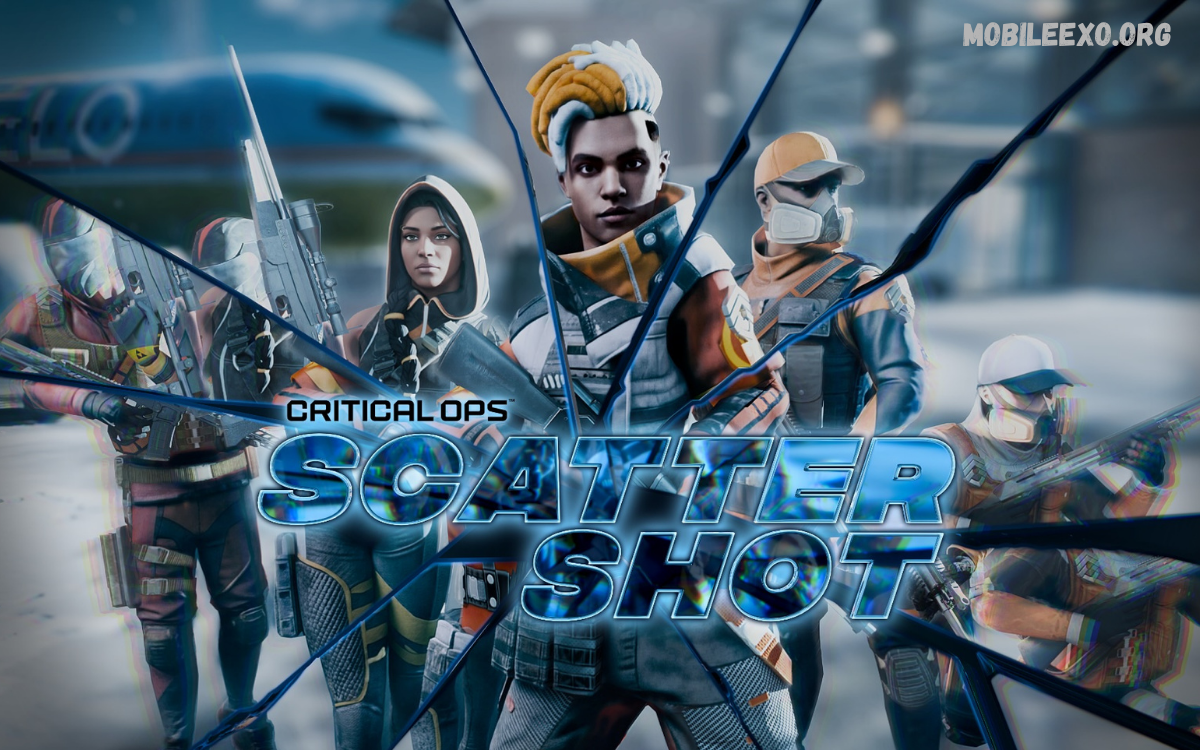
Android gaming continues to grow as developers introduce new content, technical improvements, performance upgrades, and gameplay features.
From major seasonal releases to small maintenance patches, each update can change how a game performs and feels. Understanding Android game updates helps players recognize new features, manage storage, improve performance, and prepare their devices for upcoming changes.
What Are Android Game Updates?
Android game updates are new software versions developers release to improve an existing mobile game. An update can include new maps, characters, missions, weapons, events, graphics, controls, rewards, or gameplay systems designed to provide fresh experiences for players.
Updates can also address technical problems discovered after a game launches. Developers may release patches to fix crashes, connection problems, loading errors, visual glitches, compatibility issues, or other bugs that affect gameplay on Android devices.
Why Android Game Updates Matter
Regular Android game updates help maintain a healthy gaming experience over time. Without continued development, a game can become outdated as Android versions change, smartphone hardware improves, and players expect more advanced features and smoother performance.
Updates also allow developers to respond to player feedback. Community reports can reveal balance problems, difficult controls, technical errors, or unwanted gameplay behavior. Developers can use this information to make targeted improvements through future releases.
Major Types of Android Game Updates
Major updates usually introduce significant changes to a game. These releases may add a new season, redesigned interface, additional game modes, new characters, expanded maps, special events, or major gameplay mechanics that encourage existing players to return.
Minor updates usually focus on maintenance and optimization. A small patch may correct bugs, improve stability, adjust specific features, optimize files, or resolve compatibility problems without dramatically changing the overall gameplay experience.
New Features in Android Games
New features are among the most noticeable parts of Android game updates. Developers may introduce new missions, achievements, customization options, social features, ranking systems, challenges, rewards, or interactive elements that give players additional reasons to explore the game.
Feature updates can also improve accessibility and convenience. Better control layouts, customizable settings, improved menus, clearer notifications, and enhanced account systems can make a game easier to navigate while giving different players more flexibility.
Android Game Updates and Graphics Improvements
Graphics improvements can significantly change an Android game’s visual presentation. Developers may enhance textures, lighting, shadows, character models, environments, animations, and visual effects while optimizing these elements for supported mobile hardware.
Not every smartphone can handle the same graphical settings. Modern games often provide multiple quality options so players can balance visual detail and performance. Updates may improve these settings, reduce graphical problems, or add compatibility for newer devices.
Performance Improvements Through Updates
Performance optimization is a major reason developers release Android game updates. Developers can identify inefficient processes and adjust game code, resource management, loading systems, and background operations to help the game run more efficiently on supported devices.
A performance-focused update may reduce stuttering, improve loading times, increase stability, or make menus respond more smoothly. Results can vary between devices because Android smartphones use different processors, graphics hardware, memory configurations, and operating system versions.
Bug Fixes in Android Game Updates
Bug fixes are a fundamental part of mobile game development. Even extensively tested games can contain unexpected problems that appear only under specific conditions, devices, network environments, or gameplay situations.
Developers commonly use update notes to explain which problems have been addressed. Players should review these notes when available because they can reveal whether an update targets a problem affecting their particular experience.
Security Improvements for Android Games
Security updates can protect game accounts, user data, authentication systems, and online services. Developers may strengthen login systems, address vulnerabilities, improve server-side protections, and update third-party components when they identify security concerns.
Players should install legitimate updates through trusted distribution channels. Keeping both the game and Android operating system reasonably current can help maintain compatibility while reducing exposure to known software issues.
How Android Game Updates Affect Storage
Game updates can require additional storage space because developers may add new assets, replace existing files, or restructure game resources. Large updates can temporarily require more free space than the final installed game size suggests.
Players with limited storage should check available space before beginning a major update. Removing unused apps, clearing unnecessary files, or managing large media files can free up space without deleting important game data.
Android Game Updates and Internet Requirements
Many modern mobile games use online services for updates, authentication, events, multiplayer features, and cloud-based content. As a result, downloading a major update can require a reliable internet connection and considerable data.
Players with limited mobile data should download large updates over a trusted Wi-Fi connection. Update sizes can vary considerably depending on the game, platform, version, and content included in the release.
How to Check Android Game Updates
The standard way to check for game updates is through the official app distribution platform installed on an Android device. Players can open the app store, go to their installed apps, and review available updates for supported games.
Some games also announce updates through official websites, in-game notices, or verified social channels. Checking official information helps players understand the release schedule and decide whether a new version includes meaningful changes.
Automatic Android Game Updates
Automatic updates can make game maintenance more convenient. When enabled, supported applications can receive newer versions without requiring players to manually check for every release.
Automatic updating may depend on device settings, network preferences, battery conditions, account configuration, and application-store policies. Players who prefer manual control can review their update settings and choose when to install available versions.
Manual Updates and Player Control
Manual updates give players more control over when they install a new game version. This approach can help people with limited storage, restricted internet data, or those who prefer to review update information before installing a new release.
Before manually installing a major update, players should review the official release information when available. Checking update size, new features, compatibility requirements, and known issues can help players prepare their device.
Android Game Updates for Multiplayer Titles
Multiplayer games often receive frequent updates because their online environments require ongoing balancing and technical maintenance. Developers may adjust gameplay systems, matchmaking, maps, weapons, characters, competitive features, or server-related components.
These updates can affect the overall multiplayer experience even when the visual changes appear small. Balance adjustments can alter strategies, while server improvements can influence connection stability and matchmaking performance.
Seasonal Android Game Updates
Seasonal updates are widely used in live-service mobile games. These releases may introduce temporary events, themed content, limited-time challenges, new progression systems, cosmetic items, and special activities connected to a particular season.
Seasonal content can create a changing gameplay environment without requiring developers to build an entirely new game. Once a season ends, certain features may disappear, return later, or be replaced by new content.
Android Game Updates and New Events
Events can give players additional objectives outside a game’s standard progression system. Developers may introduce event missions, challenges, tournaments, community activities, or limited-time gameplay modes through regular updates.
Players should check the event duration because some content is available for a limited period. Official event announcements usually provide information about availability, requirements, and other relevant details.
How Updates Change Gameplay
An update can modify gameplay mechanics in ways that influence how players approach a game. Developers may adjust movement, combat systems, character abilities, difficulty levels, progression, rewards, or competitive mechanics.
These changes can require players to adapt their strategies. Reading official patch notes can make the transition easier because they may explain key gameplay adjustments and provide context.
Android Game Updates and Compatibility
Android devices differ widely in hardware and software configurations. Developers therefore need to test games across a range of supported devices and Android versions to maintain reasonable compatibility.
A new update can sometimes change minimum requirements or improve compatibility with newer hardware. Players experiencing installation or performance problems should check the game’s current requirements and device compatibility information.
Why Games Sometimes Receive Large Updates
Large updates often contain substantial changes to game resources. Developers may add high-resolution assets, new environments, voice files, animations, gameplay systems, or redesigned components that require additional downloads.
Some games also reorganize existing resources during an update. This can make the download larger than expected even when the visible changes seem relatively limited.
Android Game Updates and Battery Usage
Graphics, networking, background processing, and advanced game systems can influence battery consumption. Developers may optimize these systems through updates to improve efficiency on supported devices.
However, battery performance depends on several factors, including screen brightness, refresh rate, processor load, network conditions, temperature, and device age. An update alone does not guarantee identical battery behavior across every Android smartphone.
Android Game Updates and Device Performance
Device performance can change after a game update because the software may introduce new features or optimize existing systems. New graphical effects can increase hardware requirements, while code optimization can sometimes improve efficiency.
Players can often manage performance through in-game graphics settings. Lowering visual quality, reducing effects, adjusting resolution, or selecting a performance-oriented mode may help supported devices maintain smoother gameplay.
Reading Android Game Patch Notes
Patch notes provide useful information about changes included in a game update. They may list new content, gameplay adjustments, bug fixes, performance improvements, event information, and technical changes.
Players should pay particular attention to sections covering known issues and compatibility. Patch notes can also explain changes that may affect familiar gameplay mechanics, helping players understand why the game feels different after updating.
Common Problems After Android Game Updates
Occasionally, an update can introduce unexpected issues. Players may encounter longer loading times, crashes, login problems, missing resources, graphical glitches, or temporary connection difficulties after installing a new version.
When problems appear, players should first check official announcements for known issues. Developers may already be working on a follow-up patch, especially when a problem affects many users across supported devices.
Read Also: Upcoming Mobile Games 2026: New Releases, Features, and Games to Watch
What to Do When an Update Fails
If an Android game update fails, players can first verify that the device has sufficient storage and a stable internet connection. Restarting the device and reopening the official application store can also resolve temporary software problems.
Players should avoid downloading unofficial game packages from unknown sources. If the issue continues, check the developer’s official support information for device-specific troubleshooting steps without compromising account or device security.
Keeping Android Games Updated
Keeping games updated helps players access current features, fixes, security improvements, and compatibility changes. It may also be required for online games that need a specific version before allowing access to multiplayer or connected services.
However, players may want to review important information before every major update. Checking the update size, release notes, requirements, and available storage can make the installation process more predictable.
The Future of Android Game Updates
Future Android game updates will likely continue to focus on performance, visual quality, connected features, personalization, and new gameplay experiences. Improvements in mobile processors and graphics technologies give developers more opportunities to build complex smartphone games.
Cloud-based services, advanced AI features, improved multiplayer infrastructure, and better device optimization may also shape future development. The exact features will depend on each game’s development roadmap and supported technology.
Android Game Updates for Different Players
Different players may value different aspects of an update. Competitive players may focus on balance changes, casual players may prefer new events, and players with older devices may pay greater attention to optimization and compatibility improvements.
Understanding these differences makes it easier to evaluate an update based on personal gameplay needs. Rather than focusing only on a release’s size, players can examine the specific changes that affect how they use the game.
How Developers Test Android Game Updates
Game developers typically use testing processes to identify problems before releasing new versions. Testing can involve internal quality checks, compatibility testing, performance analysis, security reviews, and selected player testing.
Despite extensive testing, some issues may appear only after a public release because Android devices and network environments vary significantly. Developers often monitor post-launch feedback and release additional fixes as needed.
Android Game Updates and Community Feedback
Player feedback has become an important part of ongoing game development. Communities can report bugs, suggest improvements, discuss balance changes, and highlight problems that may not have appeared during internal testing.
Developers may review this feedback when planning future patches. However, developers can’t implement every suggestion because decisions depend on technical limitations, design goals, resources, and the game’s overall direction.
Android Game Updates and Online Accounts
Some games connect progress to online accounts, allowing players to synchronize information across supported devices. Updates can modify account systems, authentication processes, or cloud-based features.
Players should use official account and login systems when available. Keeping access to the correct account can protect progress and reduce confusion when switching devices or reinstalling a game.
Android Game Updates and In-Game Content
Modern games frequently separate core software from downloadable content. An update may provide the framework for new content, while additional resources download later through the game itself.
This approach can reduce the initial application package size while allowing developers to deliver content progressively. Players should understand that an update may not include every new feature in the game’s latest version.
Managing Large Android Game Updates
Large updates require planning when storage or internet data is limited. Players can check available device storage before starting and remove unnecessary files if they need more space.
A stable Wi-Fi connection can also make large downloads easier. Players should keep the device sufficiently charged during lengthy installations and avoid interrupting the update process unnecessarily.
Why Android Game Updates Keep Games Fresh
Frequent updates can extend a mobile game’s active lifespan by introducing new content and fixing technical issues. This approach lets developers keep improving an established title instead of releasing a separate game for every major feature.
For players, ongoing updates can create a changing experience. New content, events, balance adjustments, and technical improvements can make familiar games feel different over time.
Best Practices for Android Game Updates
Players should download updates through trusted official channels, maintain enough free storage, use a stable connection, and review important release information. These simple habits can reduce common update-related problems.
It is also useful to keep the Android operating system and other important device software reasonably current. Compatibility between the operating system, application store, game, and device hardware can influence the overall gaming experience.
Frequently Asked Questions
What are Android game updates?
Android game updates are new versions developers release to improve mobile games. They can include new features, content, bug fixes, performance improvements, security changes, and compatibility adjustments for supported devices.
Why should Android games be updated?
Updating games can provide access to new content and important fixes. Updates may also improve stability, compatibility, security, performance, and access to online services that require a current game version.
Do Android game updates delete game progress?
Most properly installed updates are designed to preserve game progress. However, progress management depends on the individual game, account system, and data-storage method, so players should use official backup or account features when available.
Why are some Android game updates so large?
Large updates can contain new maps, graphics, audio, animations, gameplay systems, and other resources. Developers may also reorganize existing files, resulting in a larger download than the visible changes might suggest.
Can Android game updates improve performance?
Yes. Developers can use updates to optimize code, resource management, loading systems, graphics, and other technical components. Performance results can vary depending on the Android device and its hardware configuration.
How can I check for Android game updates?
Players can check the official application store installed on their Android device. The installed-applications section generally shows available updates, while developers may also publish release information through official channels.
Do Android game updates require Wi-Fi?
Not always. Update requirements depend on your device and app store settings. Large downloads are often more convenient through a stable Wi-Fi connection, especially when mobile data limits apply.
What should I do if an Android game update fails?
Check available storage, internet stability, device software, and the official application-store status. If the problem continues, consult the game’s official support information for troubleshooting steps specific to the title and device.
Are Android game updates free?
For most standard mobile games, software updates are provided at no extra cost. However, individual games can use optional purchases, subscriptions, or other monetization systems for additional content.
How often do Android games receive updates?
Update frequency varies by game and developer. Some live-service games receive frequent patches, while smaller or less actively developed titles may receive updates less often.
Can an Android game update change gameplay?
Yes. Developers can adjust mechanics, character abilities, weapons, maps, progression systems, difficulty, rewards, and other gameplay elements. Patch notes usually provide details about significant changes.
Are unofficial Android game updates safe?
Unofficial downloads can create security and compatibility risks. Players should get updates through trusted official distribution channels whenever possible and avoid unknown files or websites claiming to offer modified versions.
Do Android game updates improve graphics?
Some updates improve graphics by adding better textures, lighting, animations, effects, or device-specific optimizations. Other updates focus primarily on gameplay, security, stability, or bug fixes.
Can an update make a game run slower?
Performance can change after an update because new features can increase resource requirements. Developers may also release later optimization patches to address performance problems discovered after launch.
Why do developers release small Android game updates?
Small updates can address specific bugs, server problems, compatibility issues, security concerns, or minor gameplay adjustments without requiring a large content release.
Conclusion
Android game updates remain central to the modern mobile gaming ecosystem. They let developers improve existing games while giving players new content, better performance, technical fixes, and evolving gameplay experiences.
By checking official update information, maintaining adequate storage, using trusted download sources, and understanding patch notes, players can stay prepared for new releases.

1 Comment
Pingback: Android Game Reviews: A Professional Guide to Finding the Best Android Games - Mobileexo