

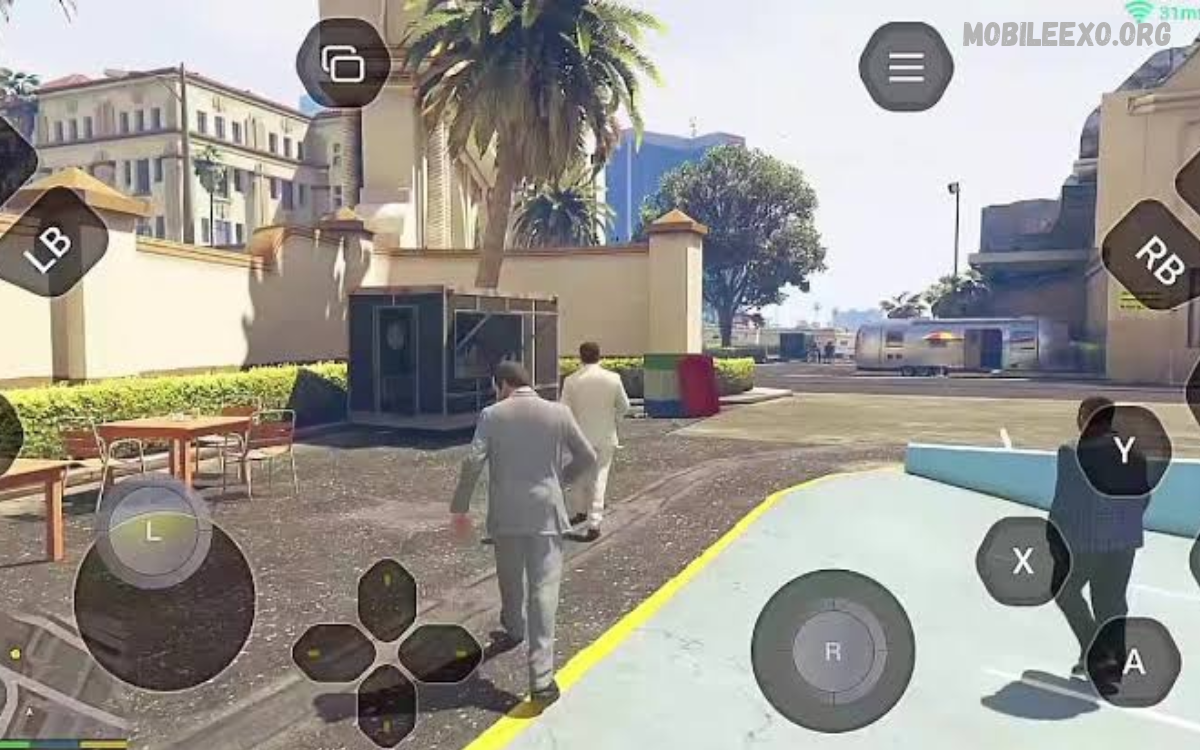
GTA mobile games offer exciting open-world adventures, challenging missions, fast vehicles, and endless opportunities for exploration. Players can explore cities, complete objectives, drive powerful cars, and experience action-packed gameplay directly on their smartphones.
Learning GTA Mobile Gameplay Tips helps players improve their driving skills, understand mission objectives, manage resources, and enjoy smoother gameplay. The right techniques can make difficult missions easier, helping beginners build confidence and experienced players discover new strategies.
Understanding GTA Mobile Gameplay
GTA gameplay combines exploration, driving, missions, character progression, and action within an open-world environment. Players can follow the main storyline or explore the city freely, discovering hidden locations, activities, vehicles, and optional challenges.
Each GTA mobile title offers different mechanics, controls, and features. Understanding the game’s map, mission system, character abilities, and activities provides a stronger foundation for improving performance and enjoying the experience.
Master the Mobile Controls
Mobile controls require practice because touchscreen movement differs from keyboard, mouse, or controller gameplay. Spend time learning the movement buttons, camera controls, acceleration, braking, and action commands before attempting difficult missions.
Adjust the control layout whenever the game allows customization. Place frequently used buttons within comfortable reach, reduce accidental touches, and experiment with sensitivity settings until movement and camera control feel natural during different activities.
Improve Driving Skills
Driving is a major part of GTA mobile gameplay, especially during races, vehicle missions, pursuits, and city exploration. Smooth acceleration, controlled braking, and careful steering help players maintain control while navigating crowded streets and sharp turns.
Avoid driving at maximum speed throughout every situation. Slow down before corners, watch traffic patterns, and use wider roads when possible. Practicing with different vehicle types helps develop better control and improves performance during challenging driving missions.
Choose the Right Vehicles
Different vehicles suit different activities across the GTA world. Sports cars provide speed, motorcycles offer agility, and larger vehicles can handle certain situations where stability or durability matters more than acceleration.
Explore garages, vehicle locations, and customization options to find vehicles that match your preferred playstyle. Keep a reliable vehicle available for important missions instead of relying on whichever car happens to be nearby.
Complete Missions Strategically
Mission preparation can make a major difference when facing difficult objectives. Read the mission instructions carefully, identify the destination, understand any restrictions, and make sure your character has the necessary equipment before beginning the challenge.
Avoid rushing through unfamiliar missions without understanding their requirements. Follow objective markers, observe the environment, and use available cover or alternate routes when appropriate. Learning from failed attempts can reveal better approaches for future challenges.
Explore the Open World
Open-world exploration allows players to discover activities beyond the main storyline. Cities may contain unique vehicles, hidden areas, interesting landmarks, side missions, and other opportunities that reward curiosity and careful observation.
Explore different neighborhoods rather than remaining near the starting location. Pay attention to unusual buildings, accessible alleys, bridges, and roads leading outside the city center. Familiarity with the map can also make mission navigation easier.
Learn the Map and Navigation System
The map helps players identify destinations, mission locations, roads, and important landmarks. Understanding its symbols and navigation features reduces unnecessary travel and makes it easier to plan routes through unfamiliar areas.
Study the main roads and alternative paths while exploring. When a destination becomes difficult to reach, zoom in on the map and look for nearby streets or accessible entrances. Better navigation saves time and improves overall gameplay efficiency.
Improve Combat Awareness
Combat situations require awareness, accurate aiming, movement, and appropriate use of the environment. Practice the game’s aiming controls in less demanding situations before entering missions that require faster reactions or precise targeting.
Avoid remaining exposed when enemies are nearby. Use suitable cover, maintain awareness of surrounding threats, and reposition when necessary. Learning weapon characteristics and understanding the controls can help players handle challenging encounters more effectively.
Manage Health and Other Resources
Health and available resources can determine whether a mission succeeds or fails. Pay attention to the game’s health indicators and learn where useful supplies can be found before entering demanding areas.
Whenever the game supports resource collection, prepare before starting challenging objectives. Keep track of available ammunition, health supplies, armor, or other relevant items. Good preparation reduces unnecessary interruptions and helps maintain progress during longer missions.
Use the Camera Effectively
Camera control affects driving, exploration, movement, and combat. A poorly positioned camera can make corners harder to navigate, obscure nearby objects, or reduce awareness of approaching obstacles.
Practice adjusting the camera while moving through different environments. Use a wider view when navigating crowded streets and reposition the camera when visibility becomes limited. Comfortable camera settings can make touchscreen gameplay feel more responsive and manageable.
Improve Mission Planning
Planning helps players approach complicated objectives with greater confidence. Before starting a mission, consider the destination, expected travel distance, available vehicle, and any preparation required by the game’s instructions.
Use the map to identify practical routes and become familiar with nearby streets. If the mission becomes difficult, review the objective and consider whether a different approach would be more effective. Thoughtful planning often reduces mistakes and unnecessary repetition.
Discover Hidden Locations and Activities
Many GTA games reward exploration with optional activities, collectibles, unusual locations, and secret discoveries. These features add variety to the experience and encourage players to investigate areas beyond familiar mission routes.
Explore carefully and pay attention to locations that look different from their surroundings. Some discoveries may require specific story progress or access to particular areas. Check the features available in your GTA title because hidden content varies between games and editions.
Customize Vehicles and Characters
Customization allows players to personalize their experience through available clothing, vehicle modifications, and other cosmetic features. Certain GTA titles also offer performance upgrades that affect vehicle handling, acceleration, or durability.
Explore customization options when they become available and consider which improvements match your gameplay preferences. Visual changes can make the experience more personal, while suitable performance upgrades may help with activities that depend heavily on driving.
Improve Mobile Game Performance
Smooth performance can improve driving accuracy, camera movement, and overall responsiveness. Close unnecessary background apps when practical, keep sufficient storage free, and install game updates from trusted sources.
If the game offers graphics settings, adjust them according to your device’s capabilities. Lower graphics quality may improve stability on some phones, while compatible devices may support higher visual settings. Avoid overheating by taking breaks during long sessions and keeping the device in a suitable environment.
Read Also: GTA Android Installation Guide: How to Install GTA Games on Android
Extend Battery Life During Gameplay
GTA mobile games can consume considerable battery power because they use graphics processing, audio, and continuous input. Long sessions may drain the battery faster when high graphics settings and screen brightness are enabled.
Reduce brightness to a comfortable level, close unnecessary applications, and enable suitable power-saving settings when they do not interfere with gameplay. Avoid playing in conditions that cause excessive device heat, as high temperatures can affect performance and battery health.
Use Safe and Reliable Game Downloads
Downloading GTA games from trusted sources helps protect your device and personal information. Use official app stores or legitimate publisher-supported distribution channels whenever the desired title is available.
Avoid modified installers that promise unlimited money, unlocked premium content, or unrealistic advantages. Such downloads may contain unwanted software, compromise account security, or damage saved game data. Check the game’s compatibility and system requirements before installation.
Understand Saving and Progress Recovery
Saving progress regularly helps protect completed missions and other achievements. Some GTA titles support automatic saving, manual saves, or multiple save slots, while the available options depend on the specific game and version.
Check the save system before closing the game or changing devices. When manual saving is available, use it at suitable points during your progress. Keep backup copies of supported save data when possible, and avoid deleting game files without understanding how they affect stored progress.
Avoid Common GTA Mobile Gameplay Mistakes
Rushing through missions, ignoring instructions, driving recklessly, and overlooking health resources can create unnecessary difficulties. Beginners may also struggle when they change multiple control settings without taking time to learn the new layout.
Focus on one improvement at a time. Practice driving before difficult vehicle missions, learn the map during exploration, and understand mission objectives before taking action. Gradual improvement builds consistent skills and makes challenging gameplay more enjoyable.
Develop a Consistent Practice Routine
Regular practice helps players become more comfortable with movement, driving, navigation, and camera control. Short sessions focused on a specific skill can be more productive than repeatedly attempting difficult missions without reviewing mistakes.
Choose activities that match your current experience level and gradually attempt more demanding challenges. Review what caused problems during previous attempts and apply those lessons during the next session. Consistent practice improves familiarity with game mechanics over time.
Frequently Asked Questions
What are the best GTA Mobile Gameplay Tips for beginners?
Beginners should learn touchscreen controls, practice driving, understand map navigation, and read mission instructions carefully. Exploring the city and getting familiar with available resources also builds confidence.
How can I improve driving in GTA mobile games?
Practice controlled acceleration, braking, steering, and camera movement. Slow down before sharp turns, learn each vehicle’s handling, and use appropriate roads when navigating crowded areas.
How can I complete difficult GTA missions?
Prepare before starting, understand the objective, check available resources, and follow the mission instructions. If an attempt fails, review the challenge and adjust your strategy instead of repeating the same approach.
Can GTA mobile games run smoothly on every smartphone?
Performance depends on the specific game, device hardware, operating system, and graphics settings. Check the official system requirements and adjust settings to balance visual quality with stability.
How can I save GTA mobile game progress?
Use the saving options provided by your specific GTA title. Some versions offer automatic saving, while others support manual saves or additional save slots. Confirm that progress has been saved before leaving the game.
Are GTA mobile game modifications safe?
Not every modification is trustworthy. Unofficial files can introduce security risks, cause crashes, or damage saved data. Prefer official game features and downloads from legitimate sources.
How can I find hidden locations in GTA?
Explore different neighborhoods, investigate unusual areas, and look for landmarks or spots off common mission routes. Hidden content varies by GTA title, so what you can find depends on your game version.
How can I make GTA mobile gameplay more enjoyable?
Choose comfortable controls, practice essential skills, explore optional activities, and adjust graphics settings to suit your device. Playing at a comfortable pace helps you enjoy the game’s missions and open-world features.
Conclusion
GTA Mobile Gameplay Tips can help players develop stronger driving skills, navigate the open world, complete missions, and manage resources more effectively. Understanding controls, exploring hidden locations, and preparing for challenging objectives creates a better foundation for enjoyable gameplay.
Device performance, safe downloads, and regular saving also contribute to a more reliable experience. Practice consistently, experiment with strategies that suit you, and explore the features available in your specific GTA title to make the most of every session.

1 Comment
Pingback: GTA Mobile Map Guide: Explore Locations, Hidden Areas, and Secret Places - Mobileexo